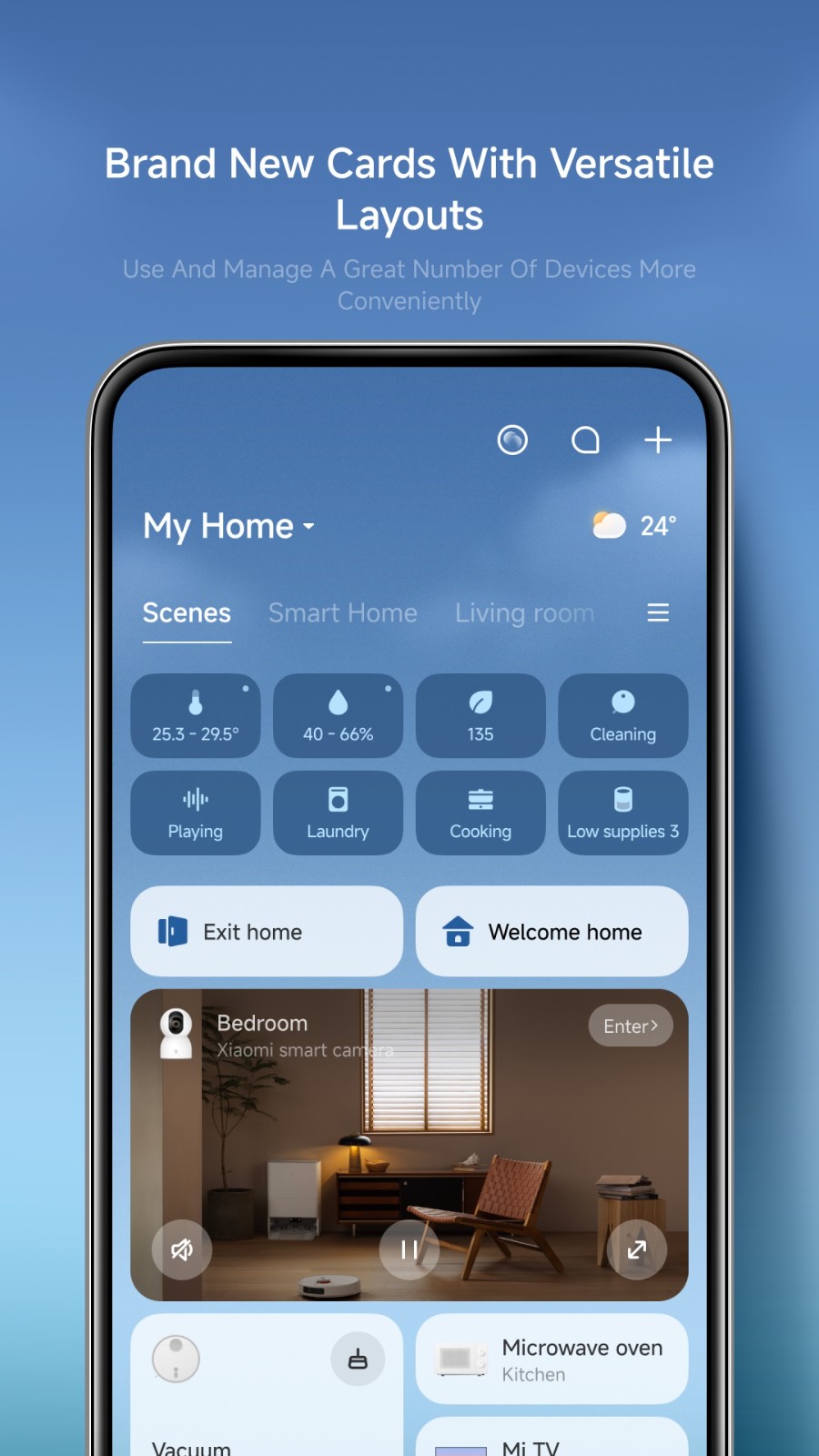
Xiaomi Home gives you an Android dashboard for the lights, cameras and other compatible devices in your home. Start by signing in with a Xiaomi account and pairing a device near your phone. Once it appears in the app, you can check its status, control it remotely or set up a scene for a routine you repeat.
Pair your first device: Switch the device on and keep it close to your phone as you open Xiaomi Home. If the app offers to connect to the nearby device, accept the prompt and follow the setup instructions.
Find a device by name: Open the plus menu to add a device yourself. Xiaomi’s setup guide points to the nearby device list first, with a manual search for the product name when discovery comes up empty.
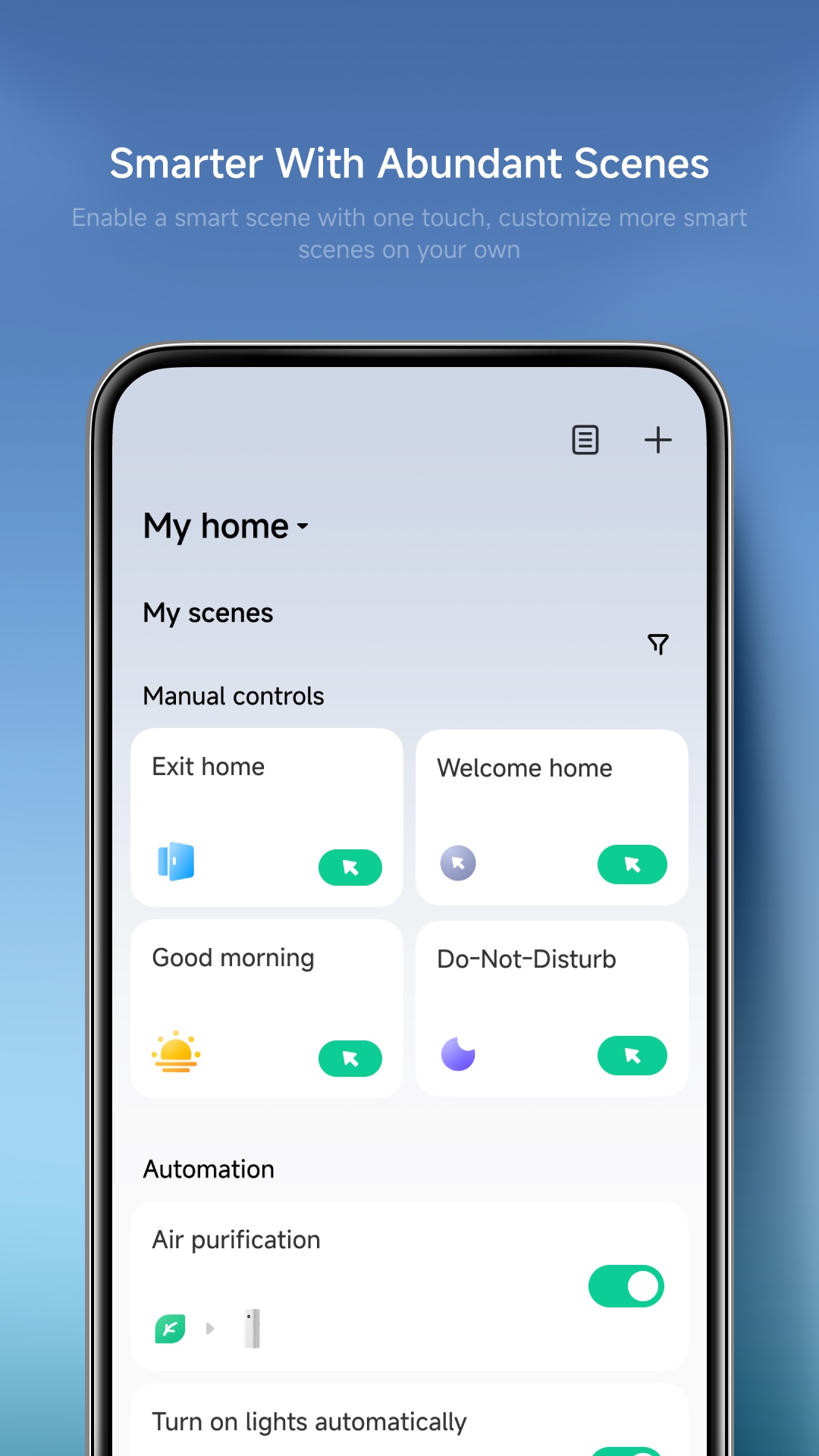
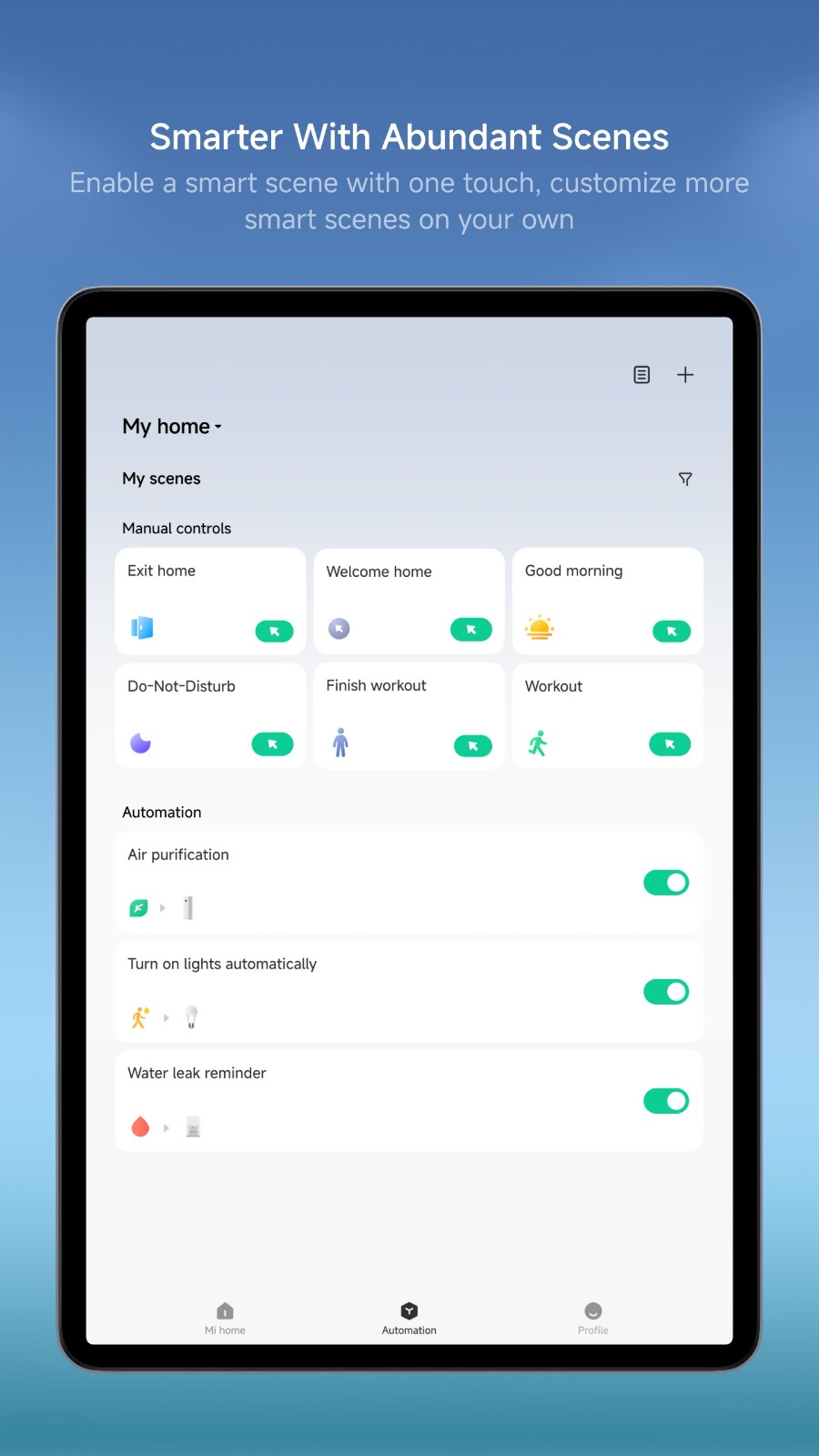
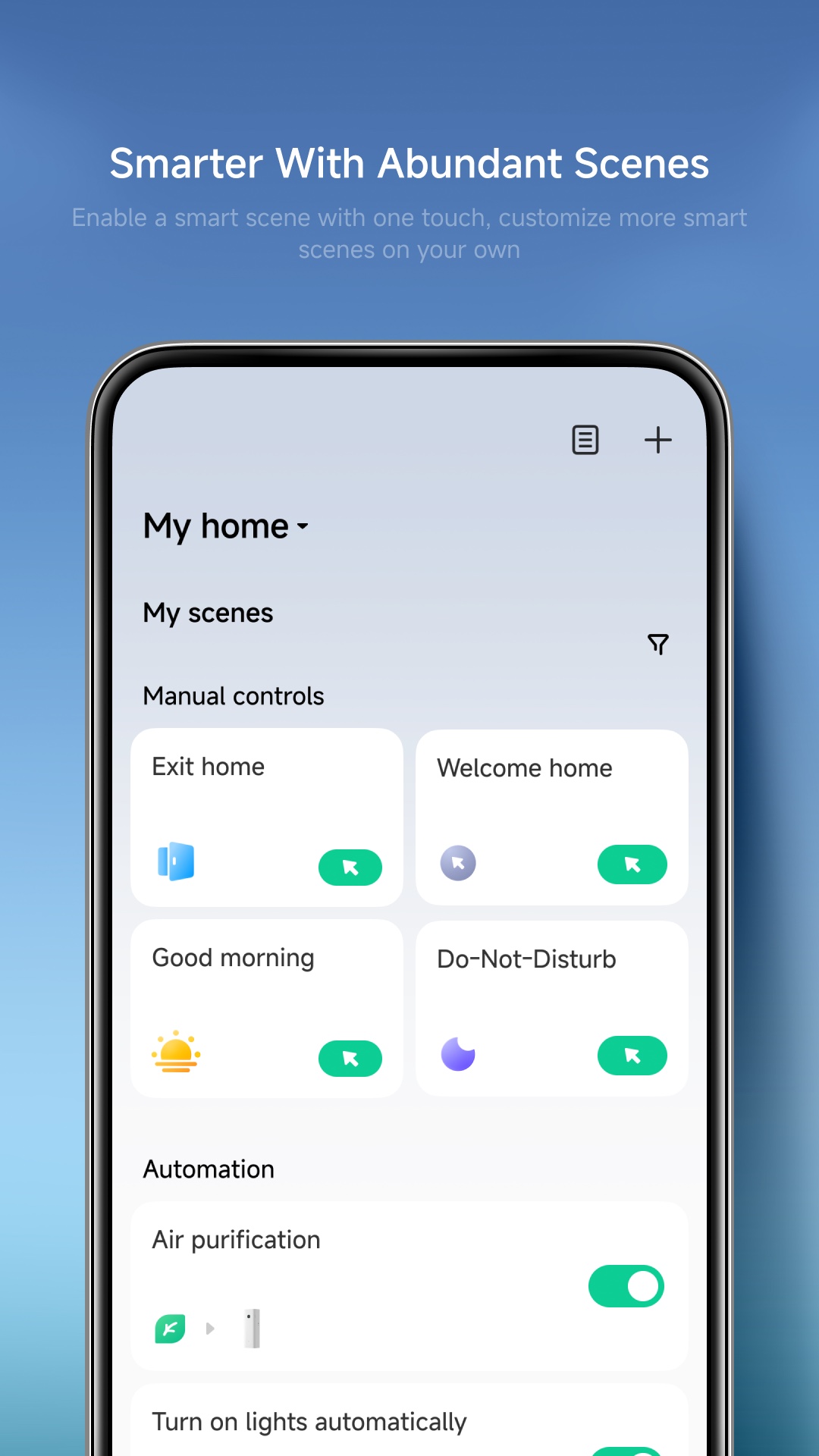
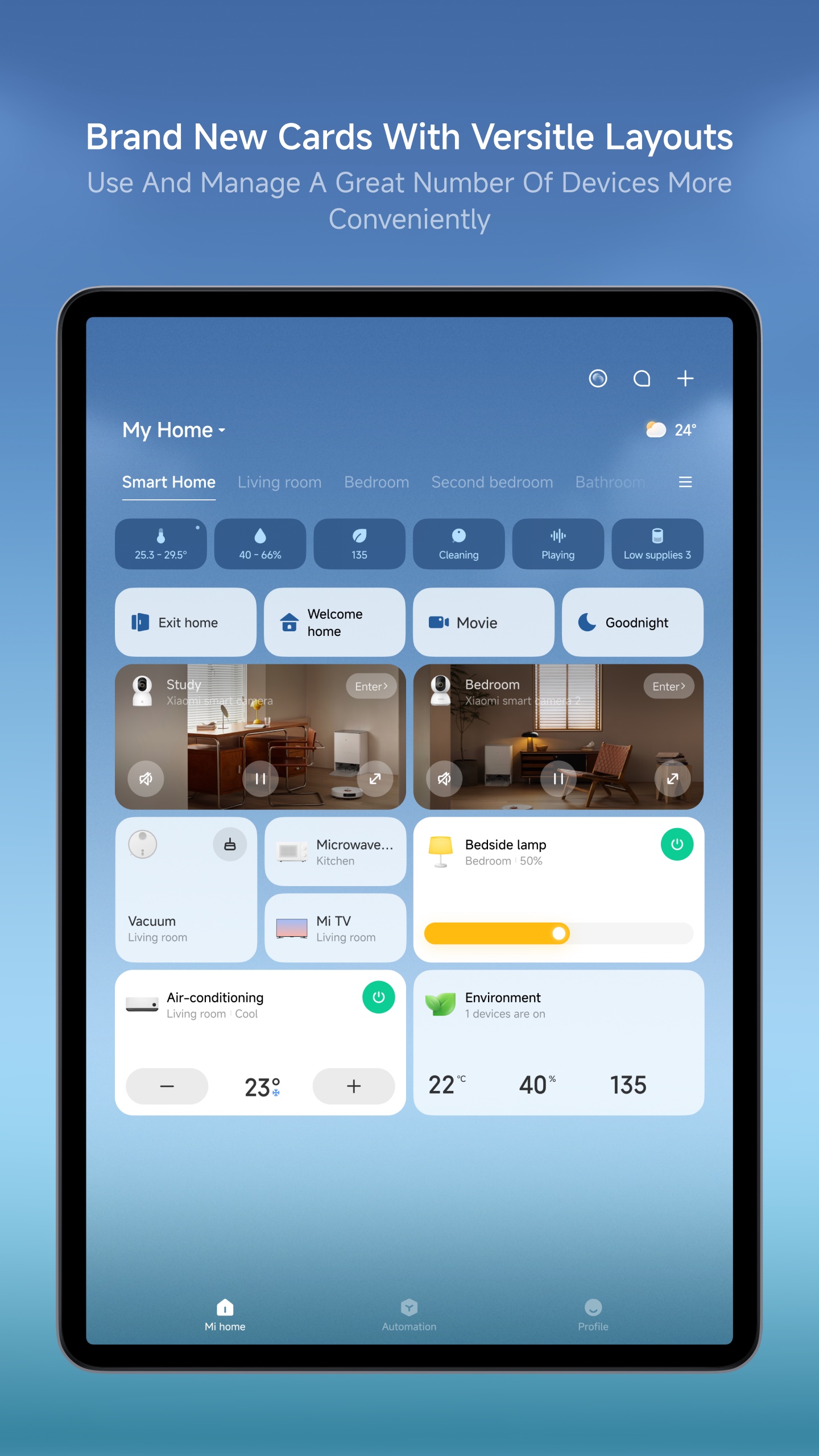
Run a scene: Open the scenes screen for manual shortcuts such as Welcome home and Good morning. Xiaomi’s Play screenshots show these shortcuts above a separate Automation list, where examples include air purification and automatic lighting.
Lighting adjustments: For supported lights, the app lets you toggle power remotely, change brightness or color temperature, and put the light on a schedule.
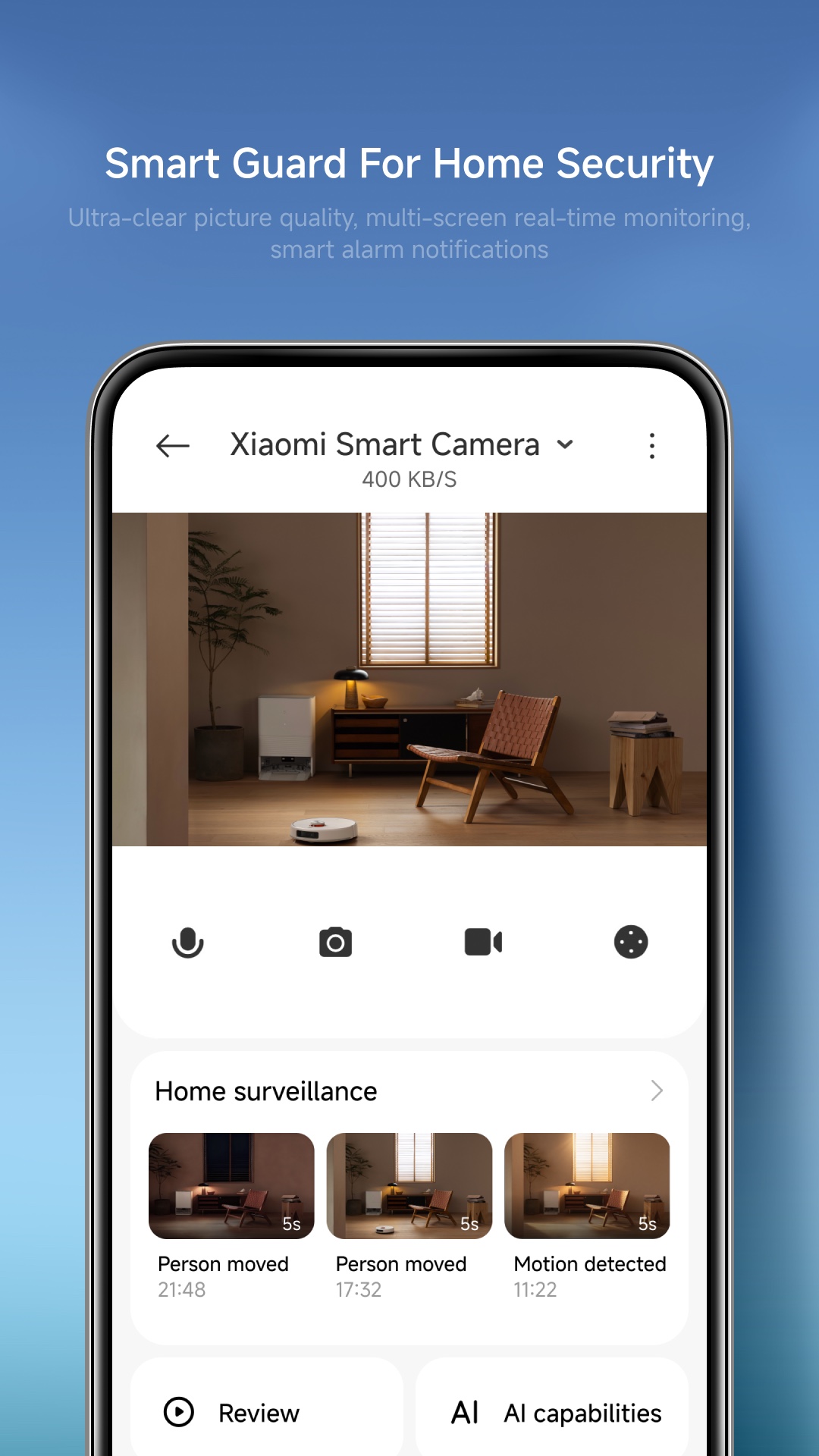
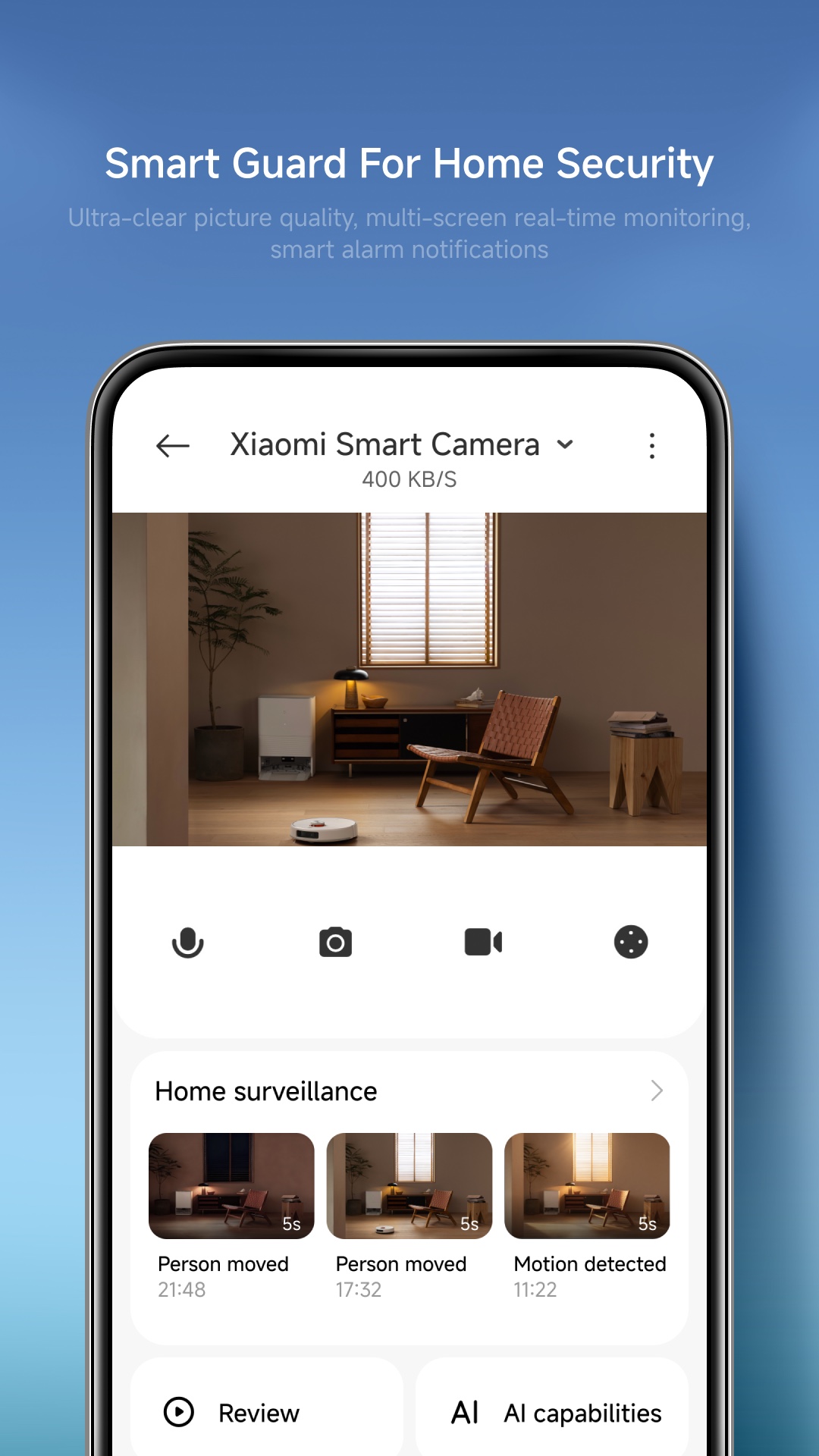
Camera playback: Open the live feed to see what is happening at home, or use the camera’s recent events and playback history to review an earlier moment. Supported camera controls also include snapshots and video clips.
Plug schedules and energy readings: Set operating times for compatible smart plugs and power strips, or switch them on and off from your phone. Models with energy statistics can report energy use.
Device sharing: Share a device with family or friends through Xiaomi Home so they can also access it from the app.
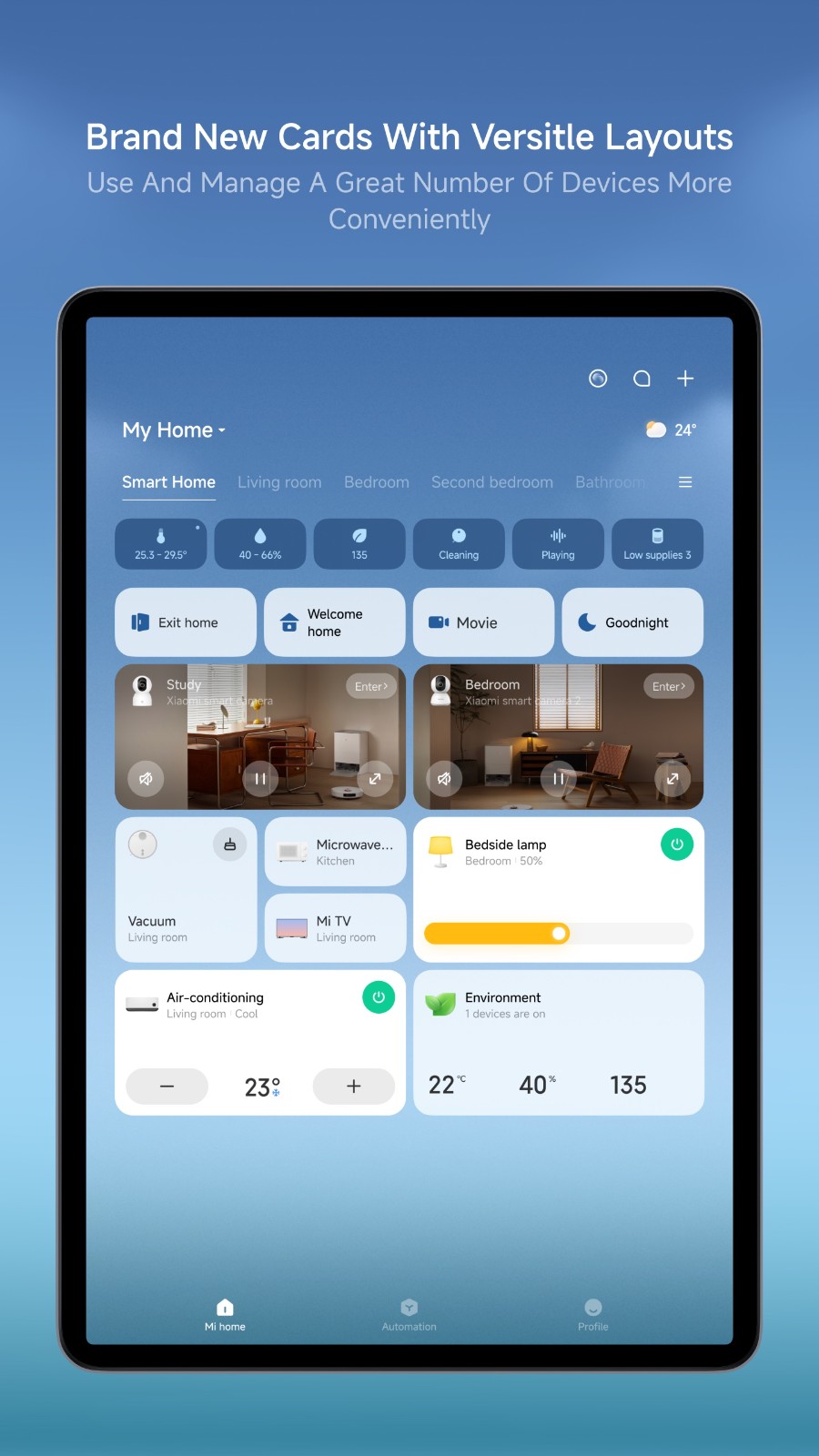
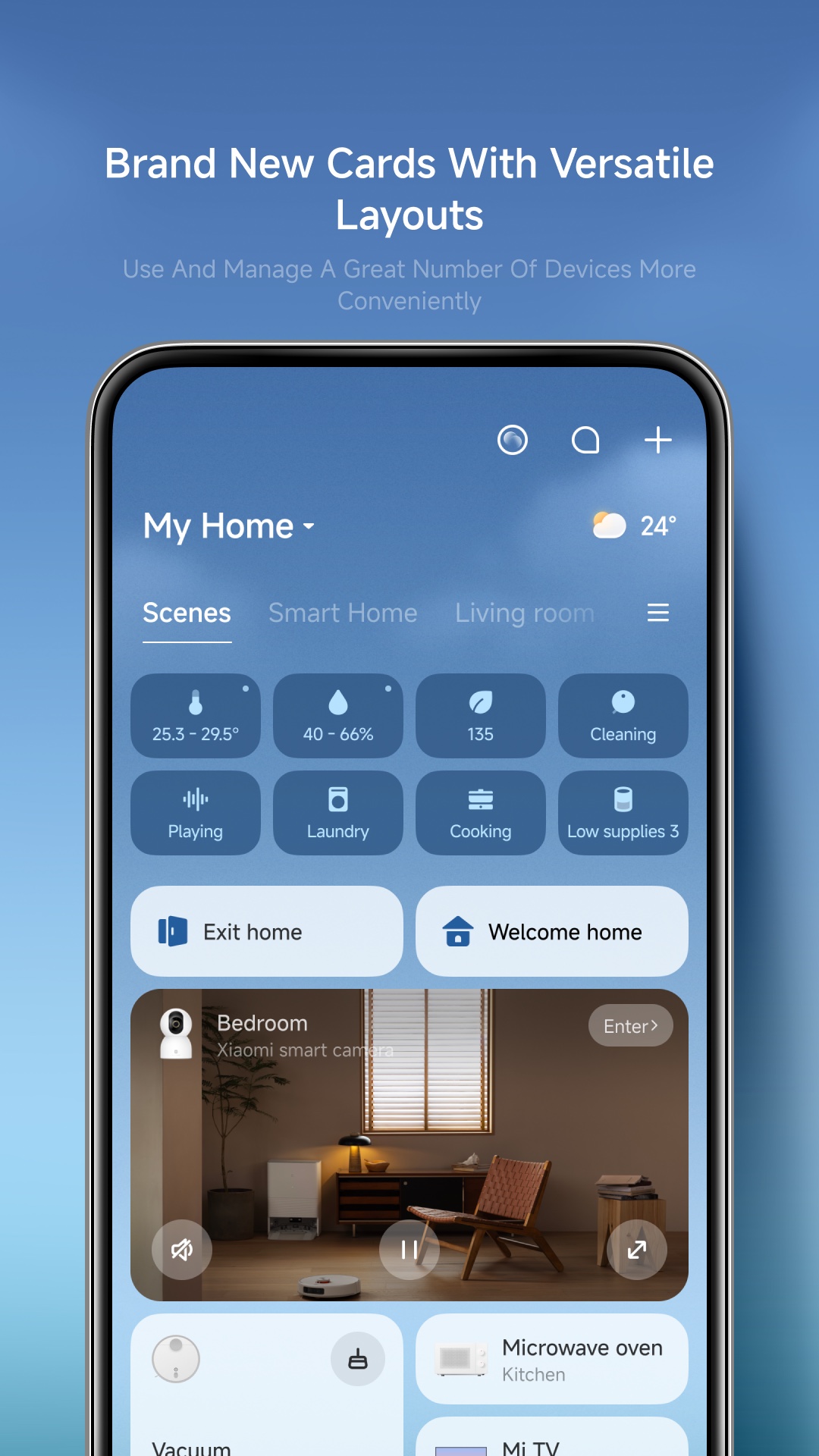
Room tabs and controls: Xiaomi’s product images show room tabs alongside dashboard cards for the camera, bedside lamp and air conditioner. The air conditioning card gives temperature its own plus and minus controls.
Fan controls: On supported fans you can adjust speed and oscillation remotely, set a schedule or use the fan in an automation with other smart devices.
Intercom access: Xiaomi Home can request microphone access for video intercom on compatible smart devices. The developer lists the permission as optional and ties it to features that use audio.
What should you check if pairing stalls on Wi-Fi?
Xiaomi says most of its smart devices support only 2.4GHz Wi-Fi. When your router combines both bands under one network name, Xiaomi suggests trying a 2.4GHz connection or separating the bands.
Which app region should you use for an imported device?
Check where the device was sold against the region selected in Xiaomi Home. Xiaomi’s connection guide says a mismatch can prevent some devices from being added.
Why does Xiaomi Home ask to use the camera during setup?
Xiaomi lists scanning a pairing QR code as one use of the phone camera. The developer lists camera access as optional and says the permissions requested depend on the device and feature you use.
What does the Xiaomi Home 11.9.704 package contain?
At 338.98 MB, this XAPK pairs the Xiaomi Home app with a single ARM64 configuration APK. For this package, the minimum SDK is 24, which corresponds to Android 7.0.
Where can you check whether a particular device is supported?
Consult the product manual or Xiaomi’s product page for your region. Xiaomi’s app listing says device availability can vary with the region and model.
Xiaomi Home is most useful when several compatible devices need to be checked from the same screen. The dashboard suits quick checks on a camera or lamp, while scenes and schedules give repetitive tasks their own controls. Check the device model and region before pairing to see which controls are available.
Xiaomi Home
Lifestyle
Date:2026-11-25

Mobile JKN
Lifestyle
Date:2026-11-25

myIM3: Data Plan & Buy Package
Lifestyle
Date:2026-11-25

Real Drum electronic drums set
Media & Video
Date:2026-11-25

Epson iPrint
Tools
Date:2026-11-25

Funimate Video Editor & Maker
Media & Video
Date:2026-11-25

Live Transcribe & Notification
Tools
Date:2026-11-25

AadhaarFaceRD
Tools
Date:2026-11-25