AadhaarFaceRD handles the camera step when an Android service asks you to confirm your identity with Aadhaar. You begin in the app that requests verification, which calls the FaceRD component from UIDAI. When the capture screen appears, position your face in the guide and follow the prompt shown on the screen.
Start with the service you need: Open the participating app where you were asked to verify your Aadhaar identity. Choose its face authentication option where available and let that app open the capture screen.
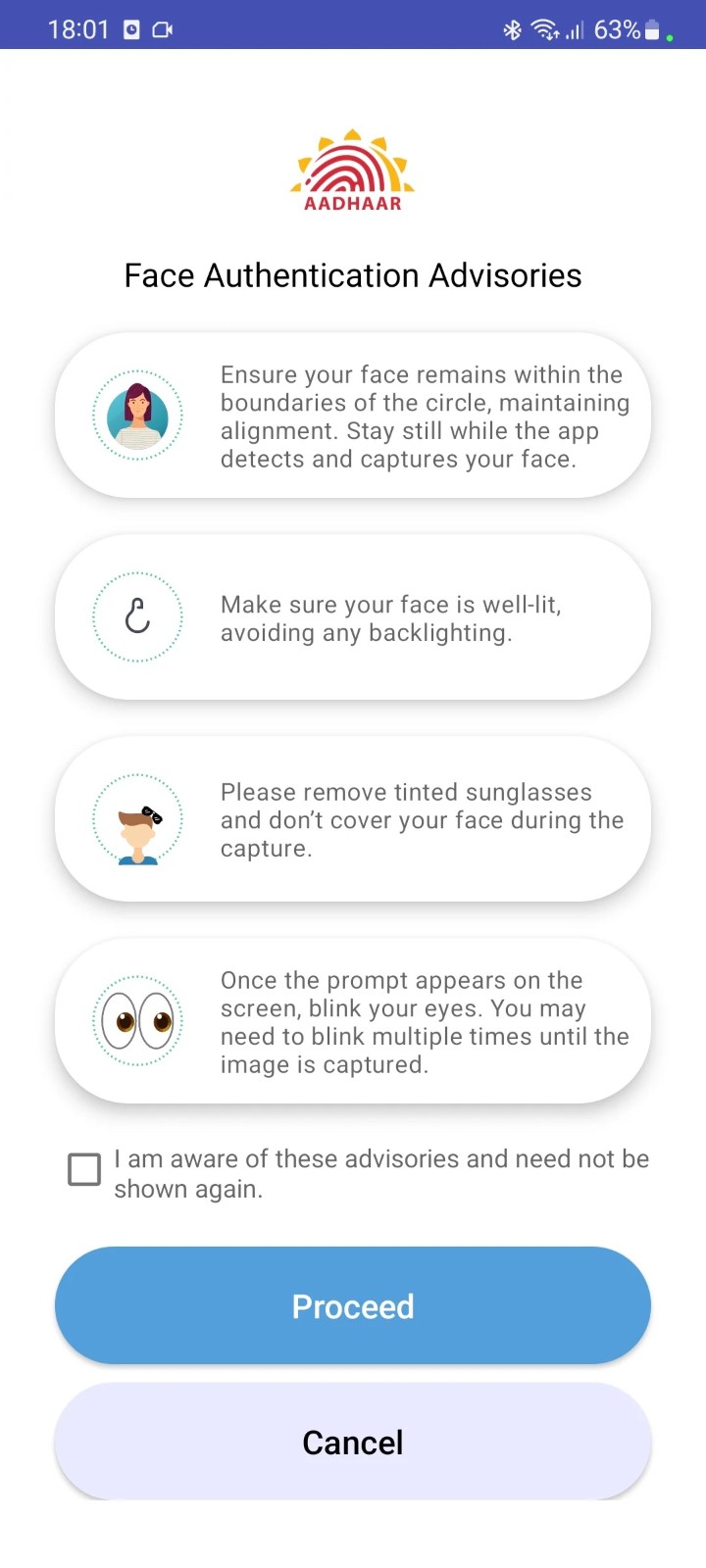
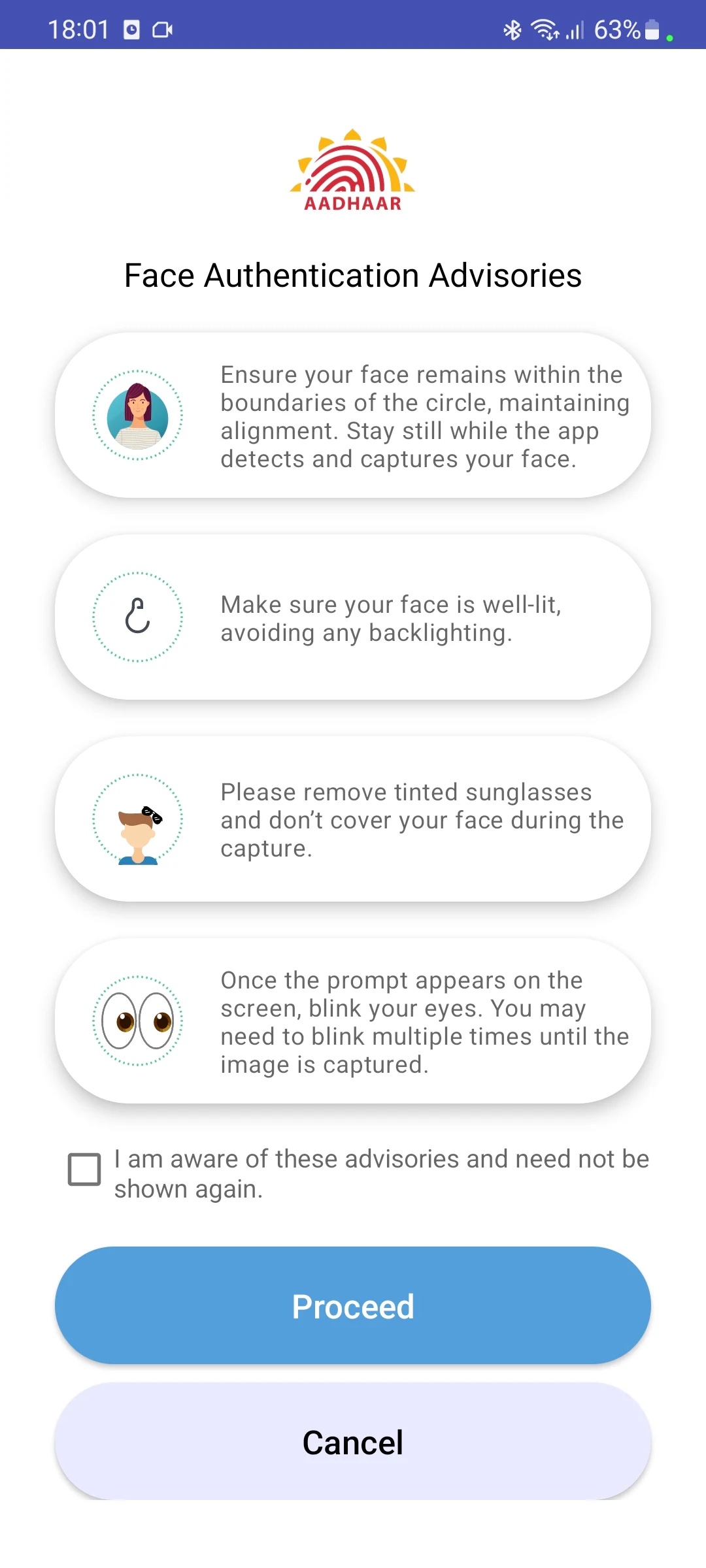
Get the camera view ready: Face the camera with your head inside the outline and hold still. Light your face from the front and take off tinted glasses or any covering that obscures your features.
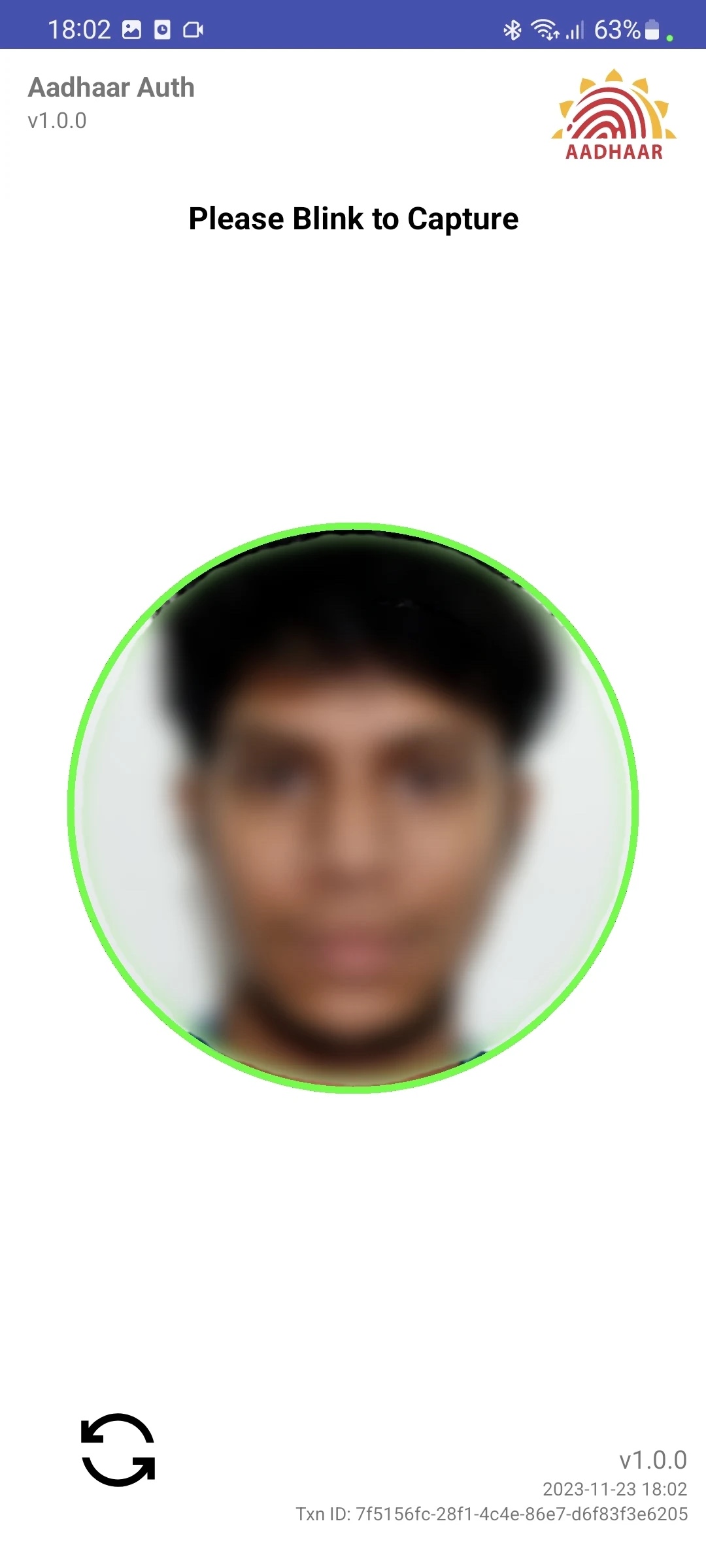
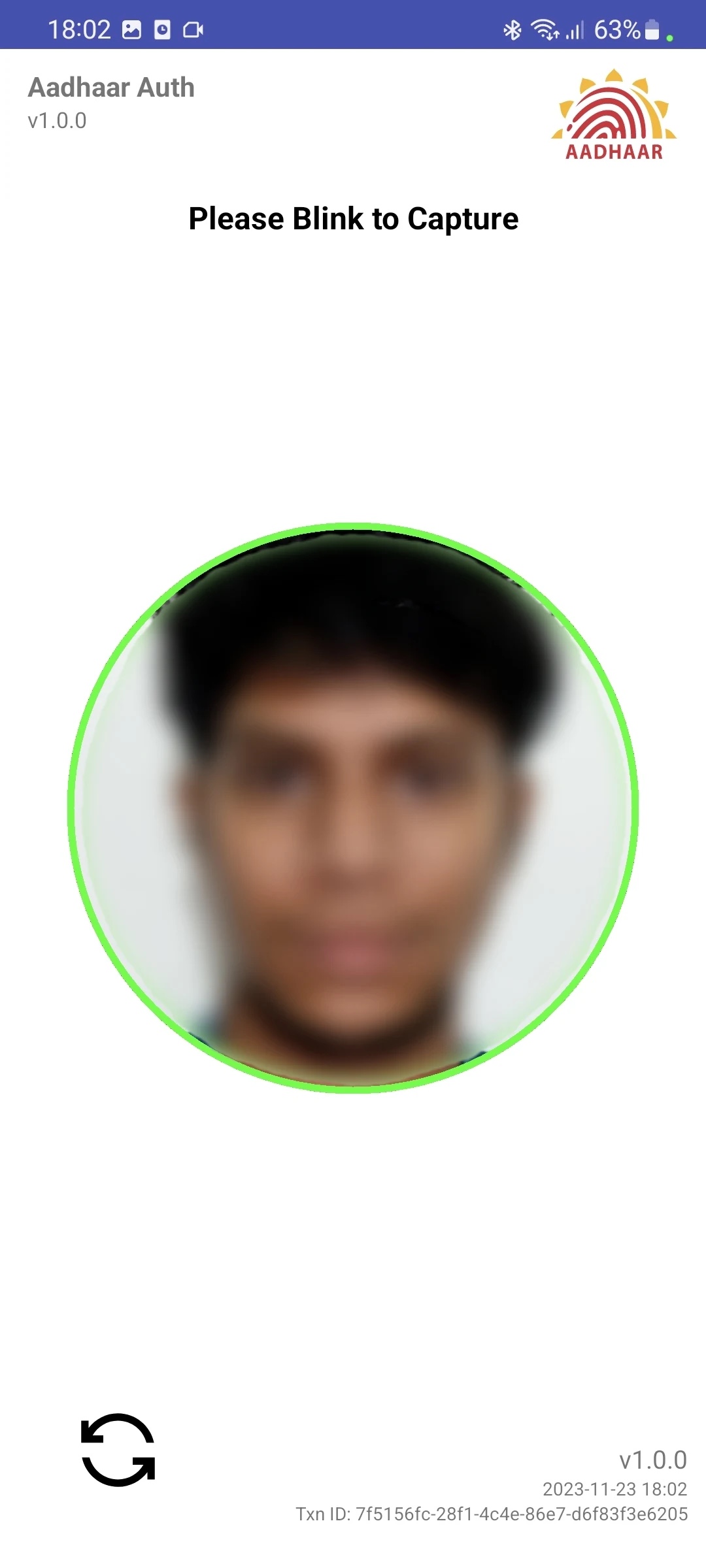
Follow the capture prompt: Look directly at the camera and blink when the screen asks you to. Keep your face inside the guide while it captures the image.
Service-triggered capture: FaceRD opens as a step in an authentication request from a participating agency. The requesting service is where you begin the transaction.
One-to-one matching: UIDAI describes the check as comparing the captured face with the enrollment photograph tied to the Aadhaar number involved in the request.
Contactless verification: UIDAI offers the face check as a biometric option alongside fingerprint and iris checks. Face capture uses the camera for that part of the verification.
Consent-based checks: UIDAI describes Aadhaar face authentication as a consent-based process. It verifies the identity connected to the request from the participating service.
Built to run without a launcher: AadhaarFaceRD is a headless component, so you should expect the app drawer to have no shortcut after installation. The service that requested the face check starts it for you.
Guidance before and during capture: UIDAI’s store images show an advisory screen with lighting and positioning tips, followed by a camera view with a circular guide and a blink prompt.
October security update: The Play release notes for the October 22, 2026 update describe a security change for the connection to UIDAI’s servers.
Where do you start if there is no Open button?
Return to the Aadhaar-enabled service that asked for a face check. FaceRD has no standalone entry in the launcher or an Open action in Google Play.
Which Android architecture is in the 1.3.9 bundle?
The only processor split in this 74.36 MB XAPK is arm64-v8a. Alongside the AadhaarFaceRD base APK are separate files for English, French and high-density screen resources.
Why does the package list a different system requirement from the store?
This XAPK’s manifest declares a minimum SDK level of 32, corresponding to Android 12L. The general Google Play listing shows Android 9 and up, so check the store on your device if you need a build for an earlier Android release.
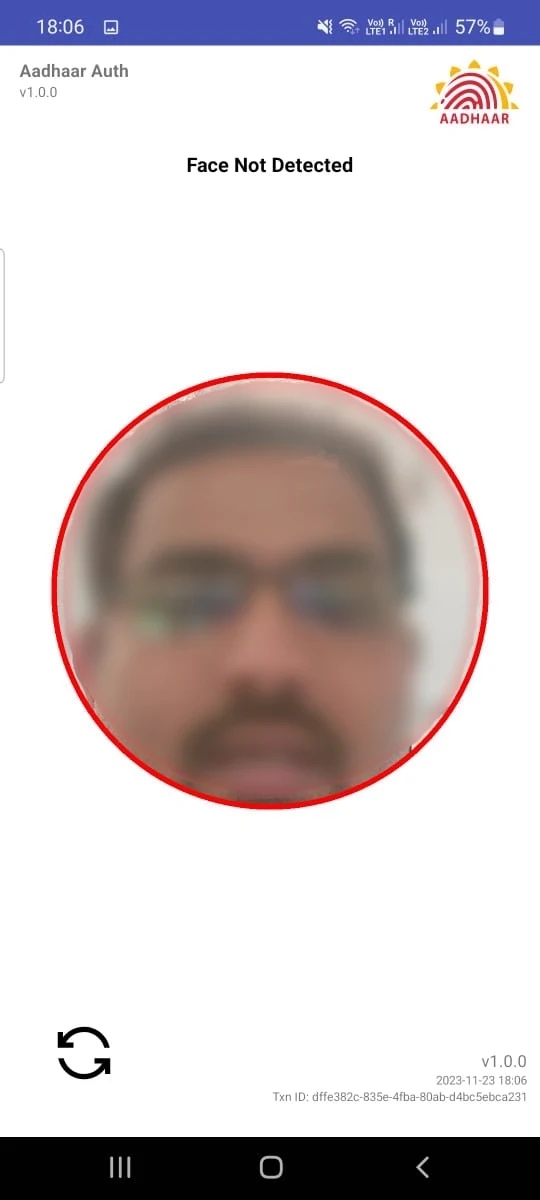
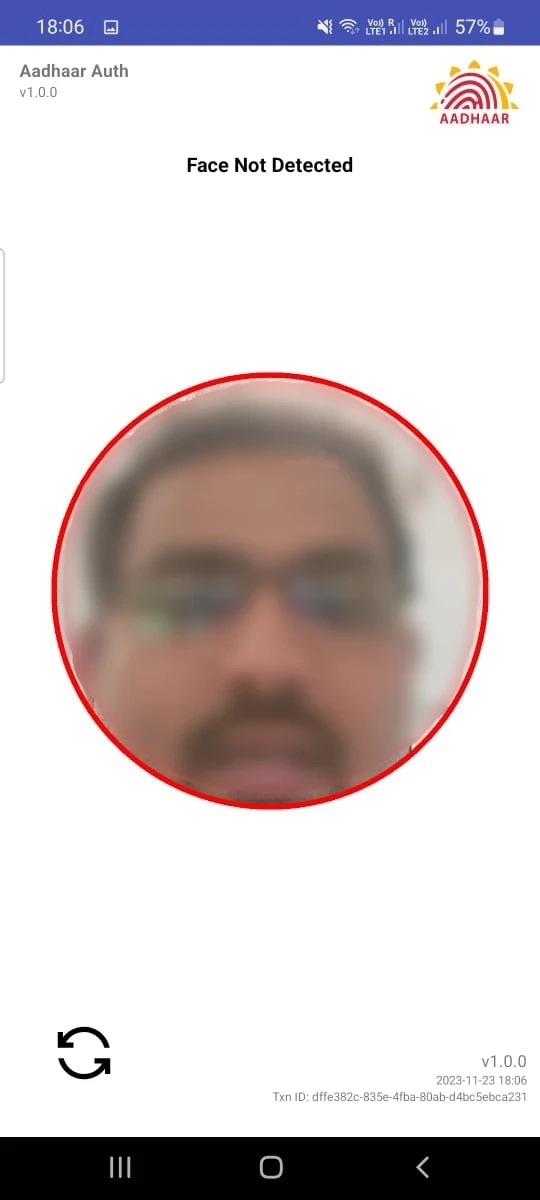
What can you check if the face stays outside the guide or is undetected?
Try a spot without backlighting, uncover your face and align it inside the circle. UIDAI also advises holding a neutral expression and keeping still during capture.
AadhaarFaceRD is for the moment a participating service passes an Aadhaar identity check to your camera. Start in the requesting app and have the phone ready for the capture instructions.
AadhaarFaceRD
Tools
Date:2026-11-25

Dating and Chat - SweetMeet
Social
Date:2026-11-25

Honor Health
Sports
Date:2026-11-25

Glovo: Food & Grocery Delivery
Shopping
Date:2026-11-25

Toonapp: Cartoon Photo Editor
Photography
Date:2026-11-25

Proton Mail
Social
Date:2026-11-25

Nextcloud
Tools
Date:2026-11-25

KeePassDX
Tools
Date:2026-11-25