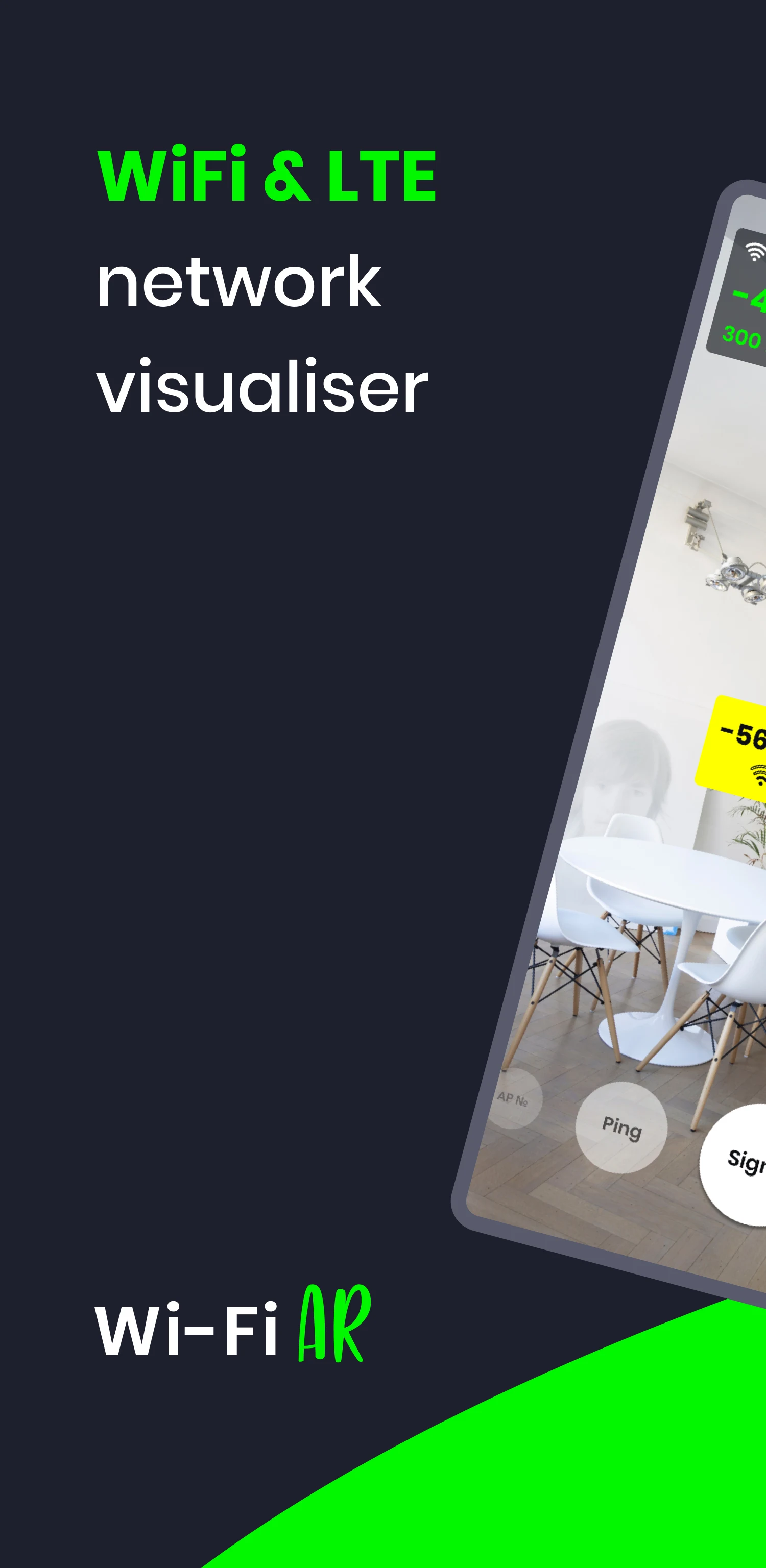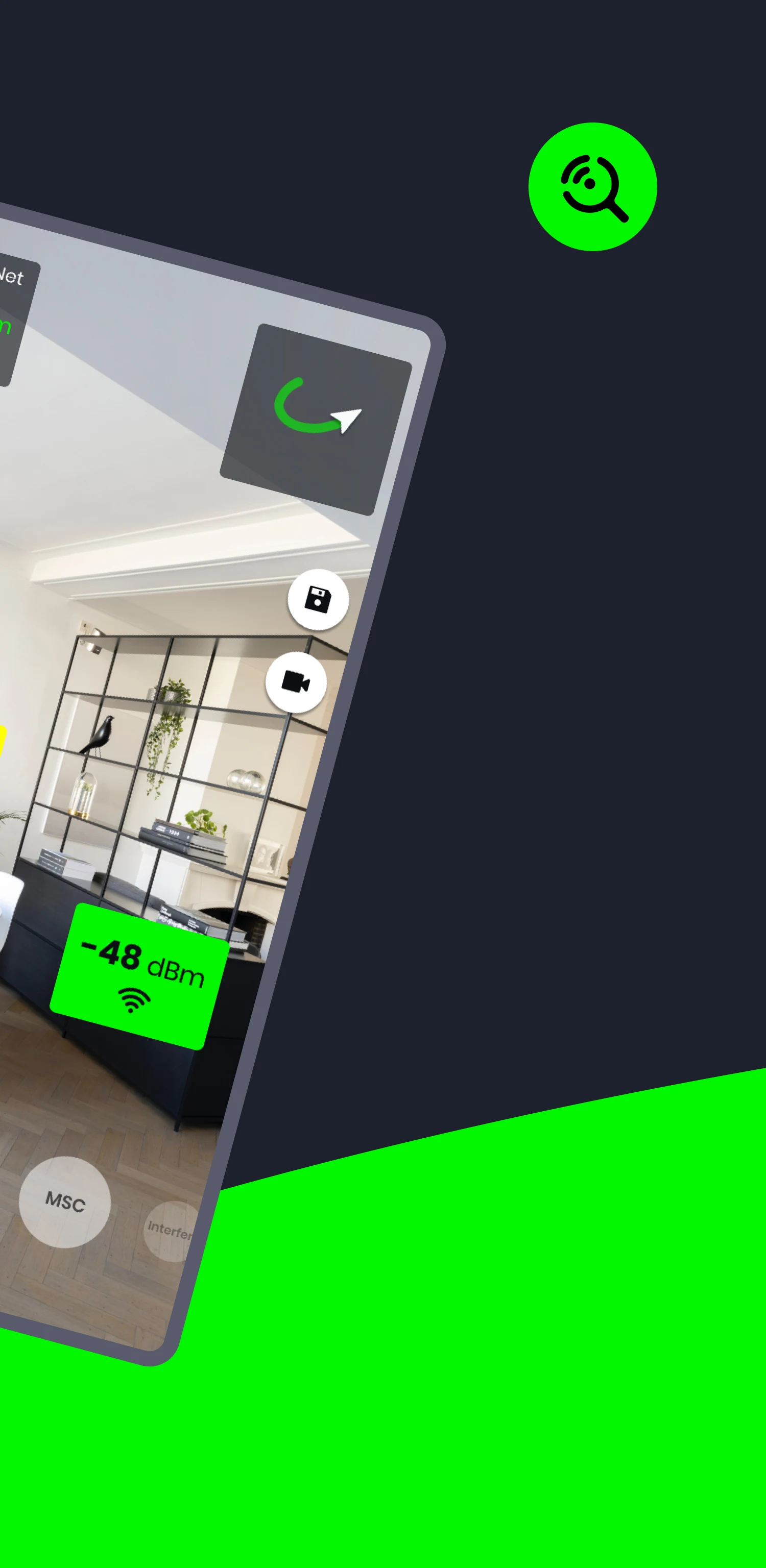
WiFi AR is an Android network diagnostic utility from Wi-Fi Solutions that overlays live wireless measurements onto your camera view. Instead of reading only a static chart, you walk around your home or office while pointing your phone’s camera to inspect how wireless coverage behaves in physical space. By switching between measurement modes along the circular selector at the bottom, you can map signal strength, speed, ping latency, and neighboring channel interference across rooms.
Grant camera and location permissions: WiFi AR needs camera access for augmented reality tracking alongside Android location and Wi-Fi connection permissions so the system can read nearby wireless networks and cellular metrics.
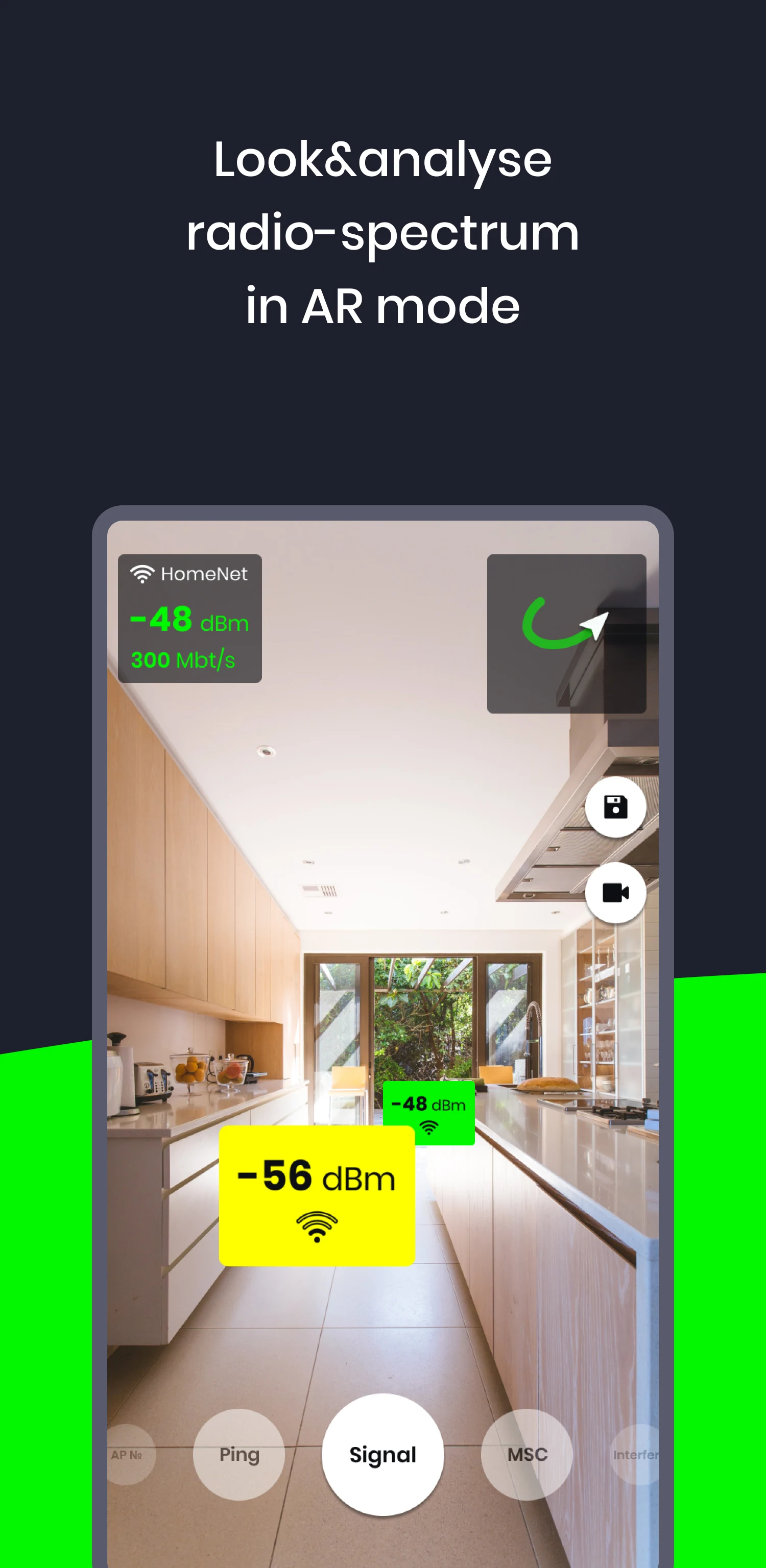
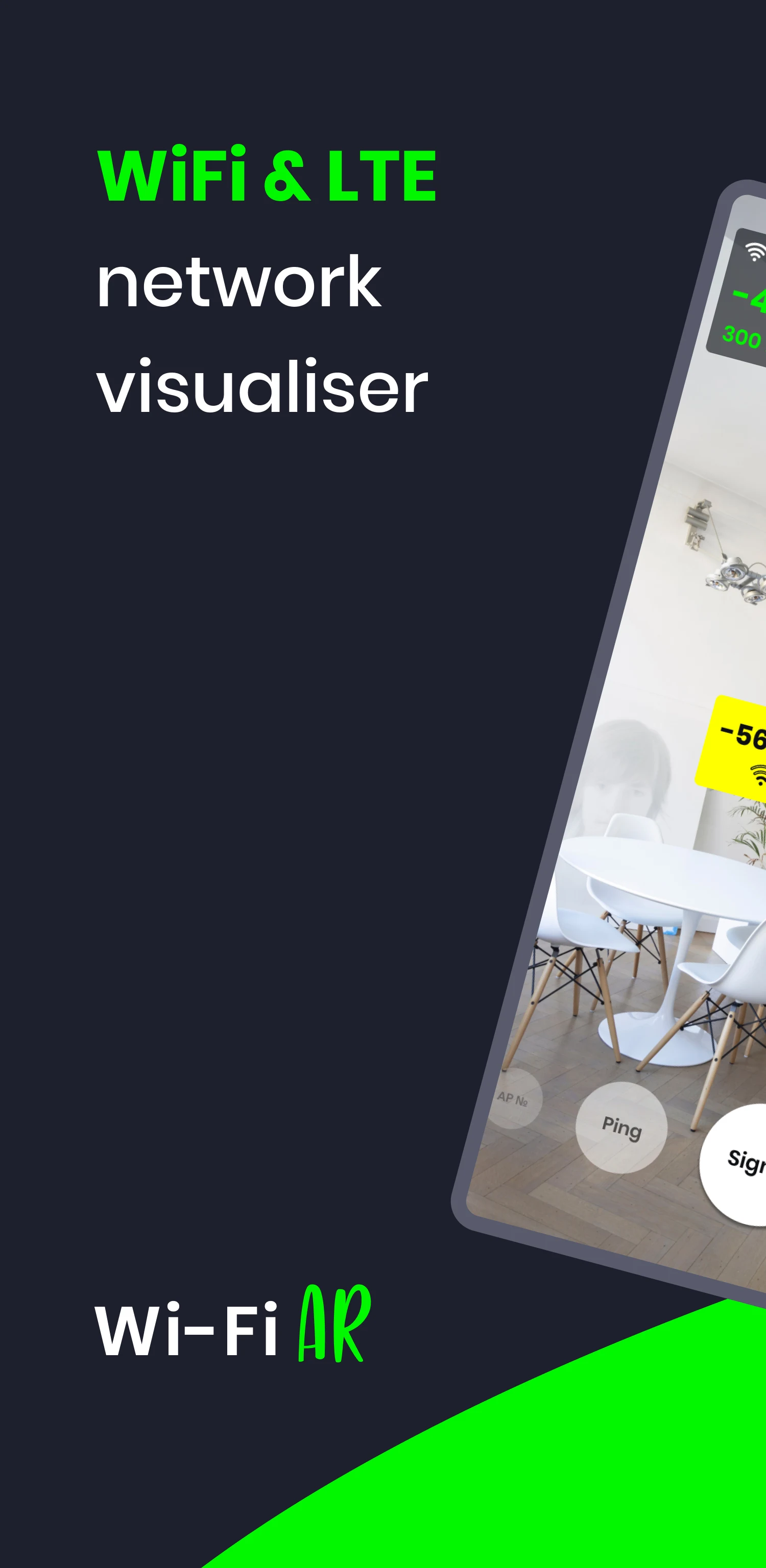
Walk the room to place AR markers: As you pan across a room, the app drops floating colored badges—such as -48 dBm in green or -56 dBm in yellow in Play screenshots—while displaying the connected SSID and link rate at the top left.
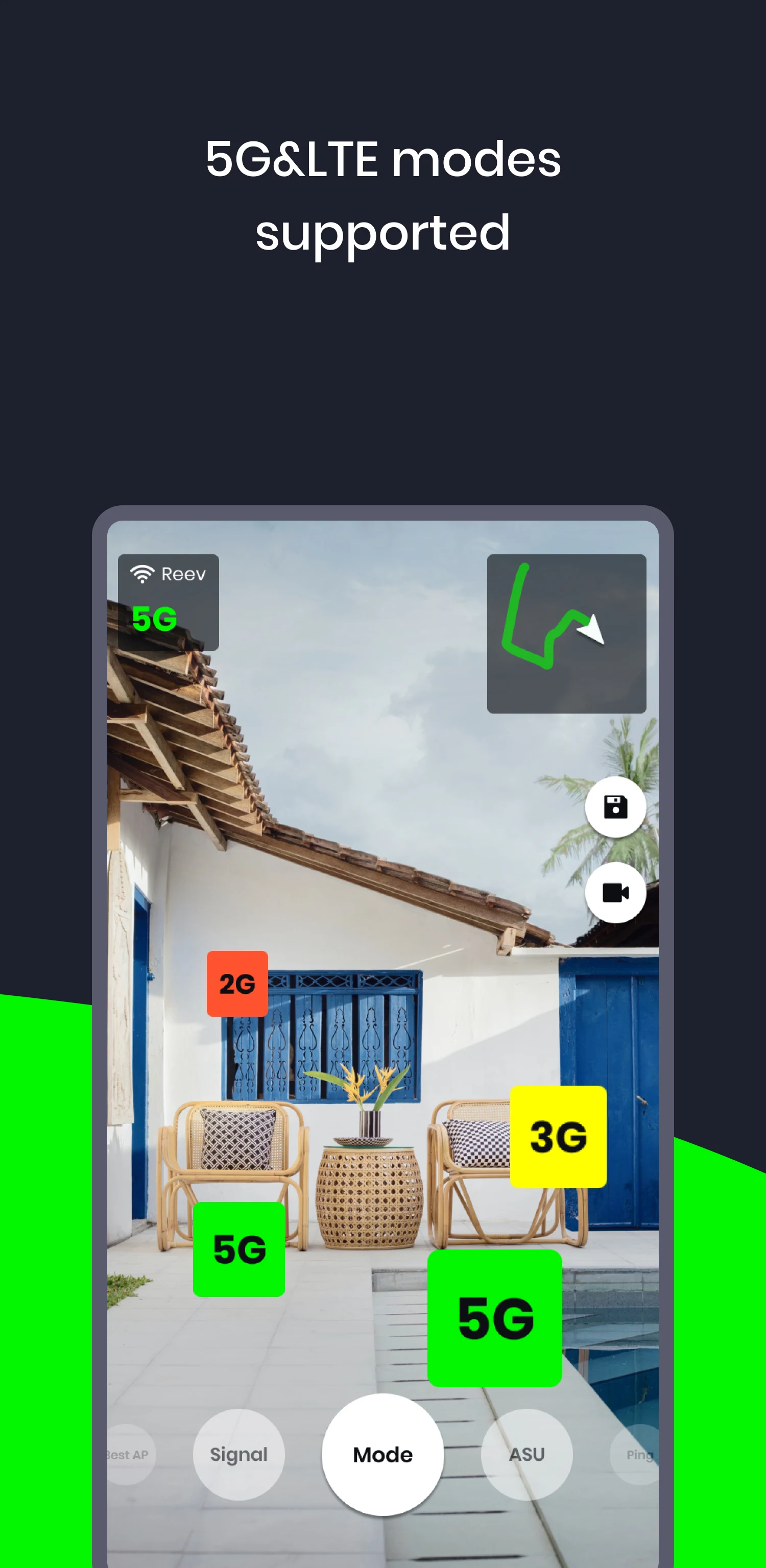
Switch inspection modes at the bottom: Scroll the circular mode bar between Signal, Ping, MSC, AP №, Best AP, and Interfering options, or tap Mode and ASU views when checking 2G, 3G, LTE, and 5G cellular coverage.
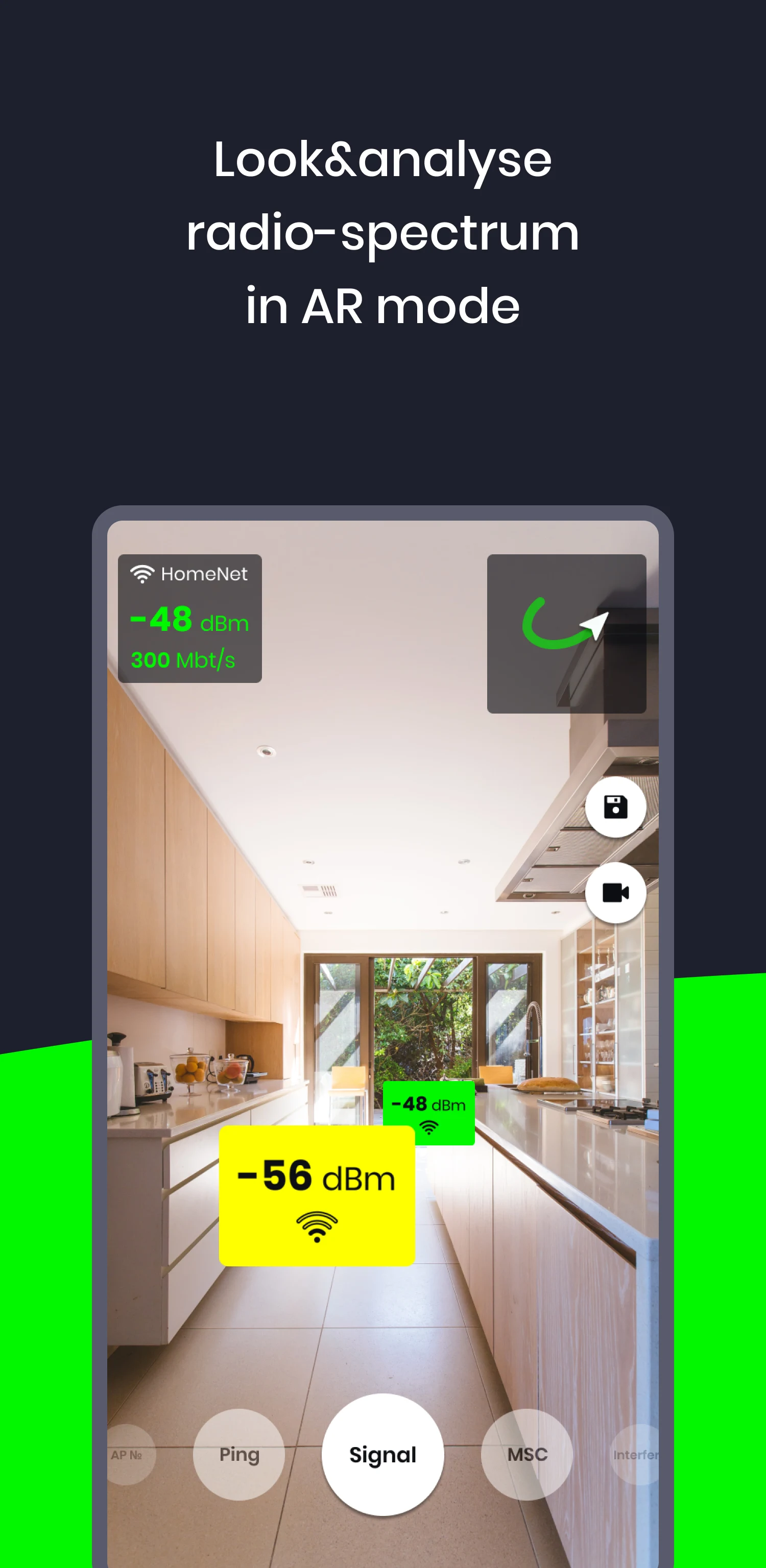
Signal strength mapping: Measure signal levels across corners, hallways, and desks in dBm to decide where a router or Wi-Fi access point gives the cleanest reception.
Live connection speed readings: Check current link throughput directly inside the AR view, such as the Mbt/s readout shown next to the active network header.
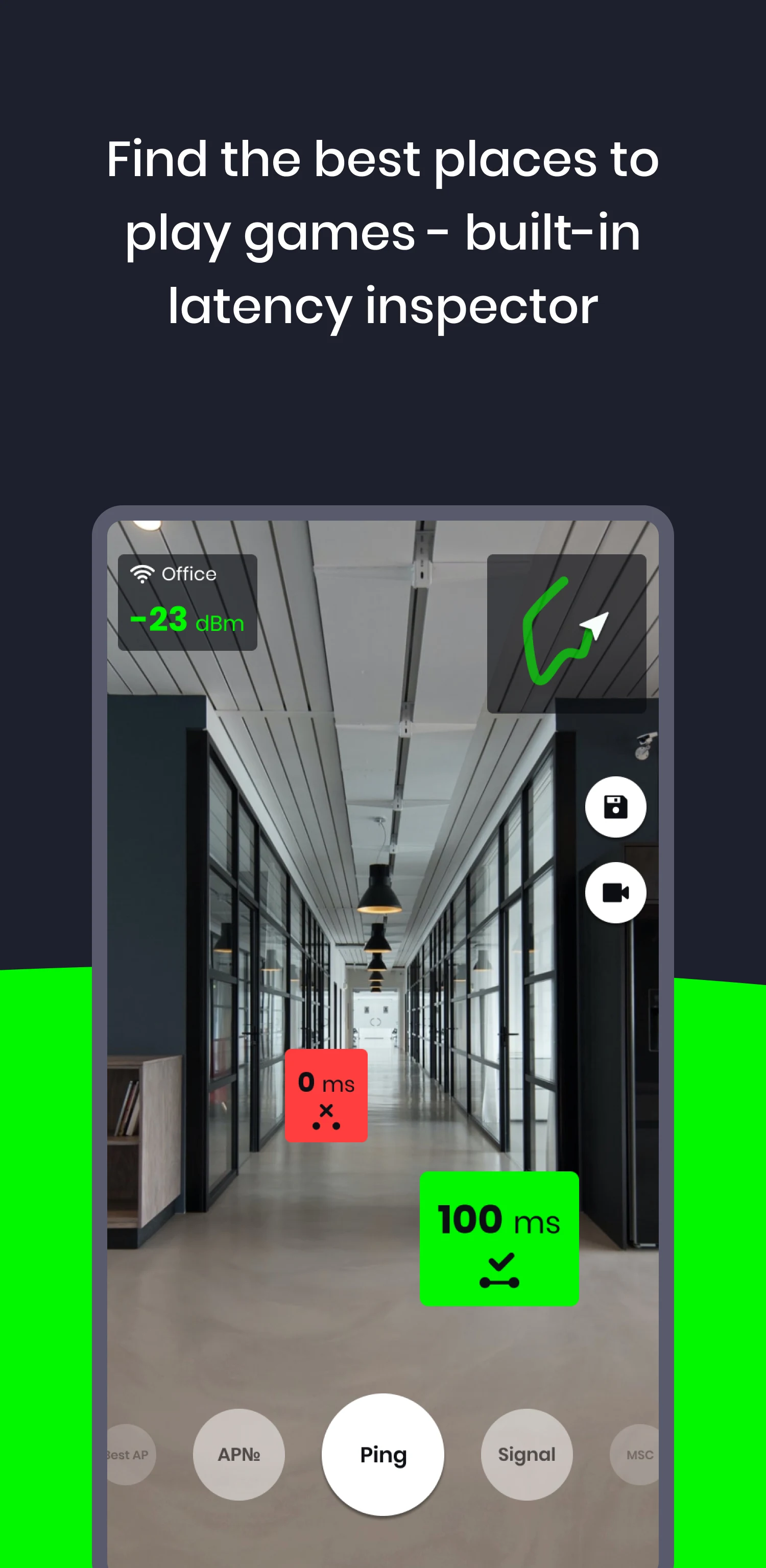
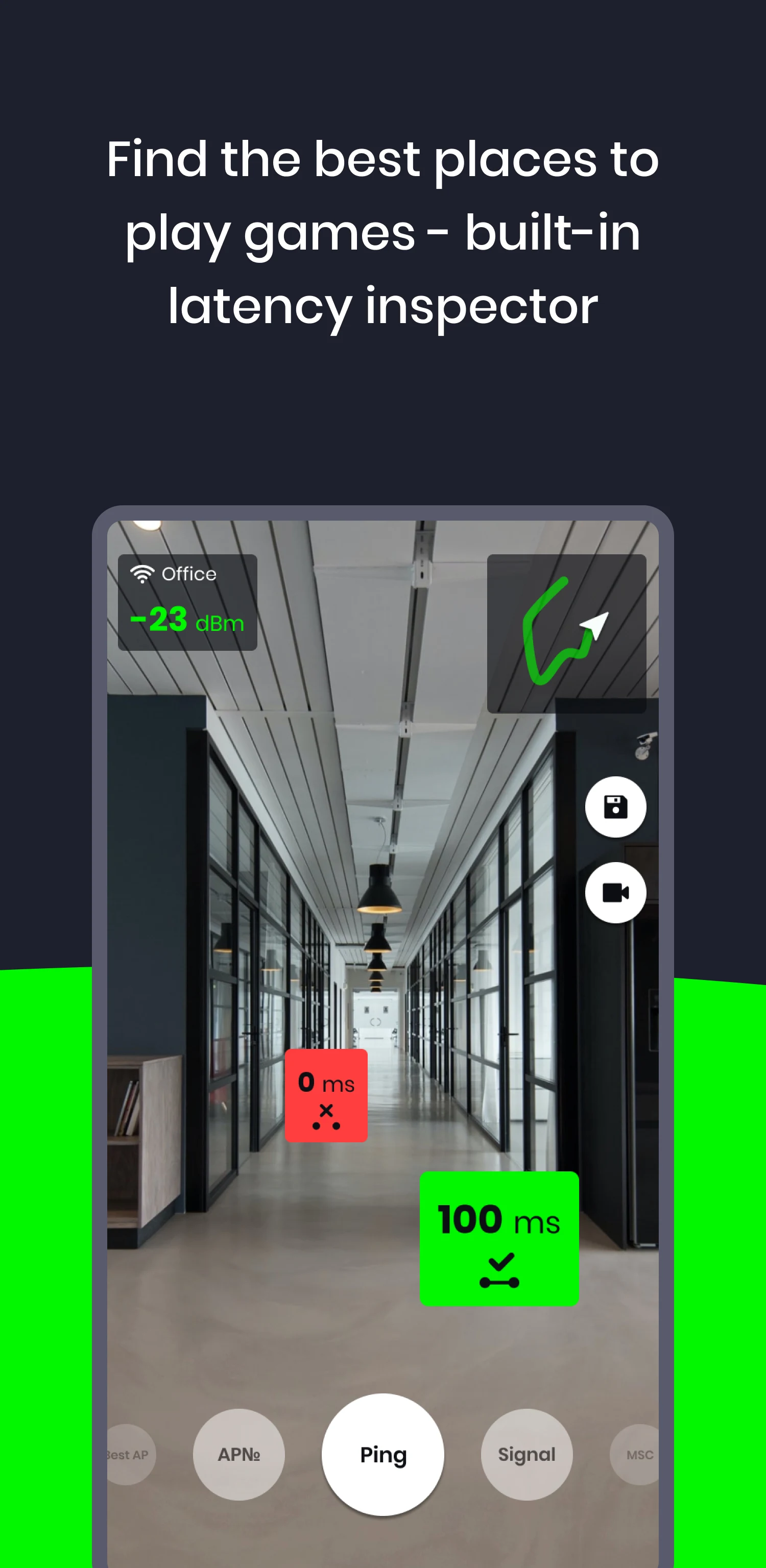
Spatial ping latency checks: Use the Ping mode to spot high-latency dead zones and compare millisecond readings across rooms before settling in for online gaming over Wi-Fi, LTE, or 5G.
Channel interference and multi-AP checks: Identify neighboring networks that degrade throughput so you can pick a less crowded router channel, and verify whether your phone hands off smoothly when multiple access points share a space.
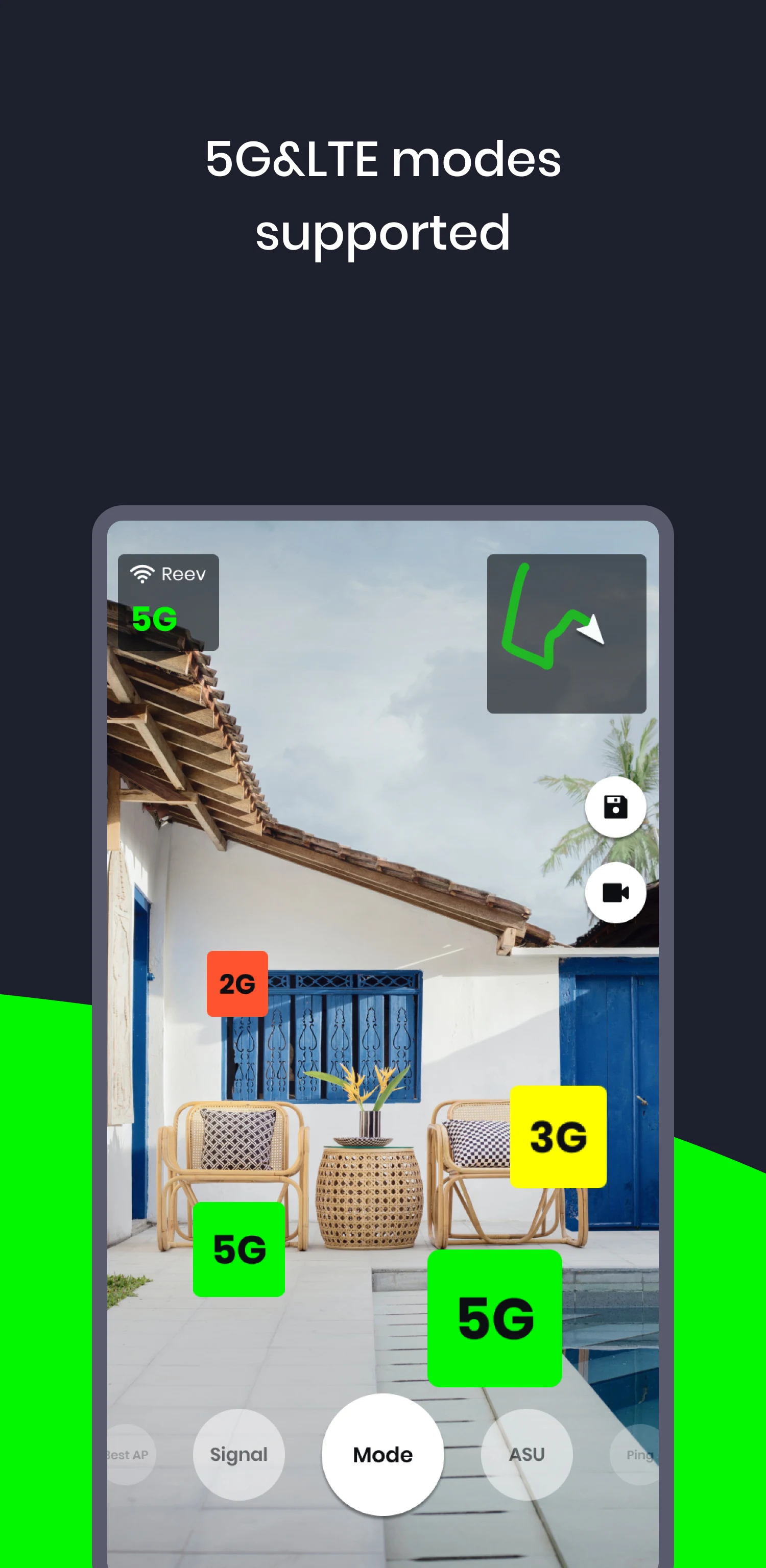
Supports both Wi-Fi and cellular bands: Beyond local wireless routers, WiFi AR switches into cellular inspection to display 2G, 3G, LTE, and 5G tags directly within the camera scene.
Color-coded AR markers and quick buttons: Official Play screenshots display floating green, yellow, and red tiles for dBm strength, millisecond ping values, and cellular bands alongside disk and camera icons along the right edge.
Built by a specialized wireless team: Kyiv-based developer Wi-Fi Solutions also maintains WiFi Heatmap for 2D floor-plan signal mapping and WiFi Optimize&Diagnose on Google Play.
What Android devices can run WiFi AR 5.17?
The 5.17 XAPK bundle requires API level 32 (Android 12L or newer) with an arm64-v8a processor, and the device must also support Google ARCore. Because ARCore relies on certified cameras and motion sensors, the app prompts you to install Google Play Services for AR if it is missing.
What is inside the 11.19 MB WiFi AR XAPK package?
The build archived for version 5.17 totals 11,731,389 bytes (11.19 MB) and includes the base package plus four configuration splits for arm64-v8a CPUs, xxhdpi screens, English, and French resources, signed with the developer’s Google Play key issued on July 19, 2018.
Why does WiFi AR request Camera, Location, and Phone permissions?
Camera access drives the AR view, while the Google Play listing and developer privacy policy declare approximate and precise location, Wi-Fi connection information, phone status, storage, and network access permissions. According to the privacy policy, WiFi AR integrates Google Play Services, AdMob, Firebase Analytics, Fabric, and Crashlytics; its Play Data Safety section states that no user data is collected directly by the developer, though location and related details may be shared with third parties and encrypted in transit.
How does WiFi AR differ from WiFi Heatmap by the same developer?
WiFi AR places real-time dBm, latency, and cellular markers directly into a live 3D camera feed, whereas WiFi Heatmap maps wireless signal readings onto uploaded or sketched 2D building floor plans.
Is WiFi AR free to use?
Yes, the core tool costs nothing to launch, displays ads, and offers optional paid items on Google Play starting at $0.99 up to $9.99 per purchase.
WiFi AR turns abstract dBm and millisecond metrics into clear visual markers anchored right inside your physical environment. Paired with an ARCore-compatible Android 12L or newer phone, it gives home users and network troubleshooters a quick spatial view for router placement, channel tuning, and cellular signal hunting.
WiFi AR
Tools
Date:2026-11-26

Moj: Free Short Drama & Reels
Social
Date:2026-11-26

Gallery Vault-Hide Photo Video
Tools
Date:2026-11-25

Poweramp Music Player
Media & Video
Date:2026-11-25

Xiaomi Home
Lifestyle
Date:2026-11-25

Mobile JKN
Lifestyle
Date:2026-11-25

myIM3: Data Plan & Buy Package
Lifestyle
Date:2026-11-25

Real Drum electronic drums set
Media & Video
Date:2026-11-25