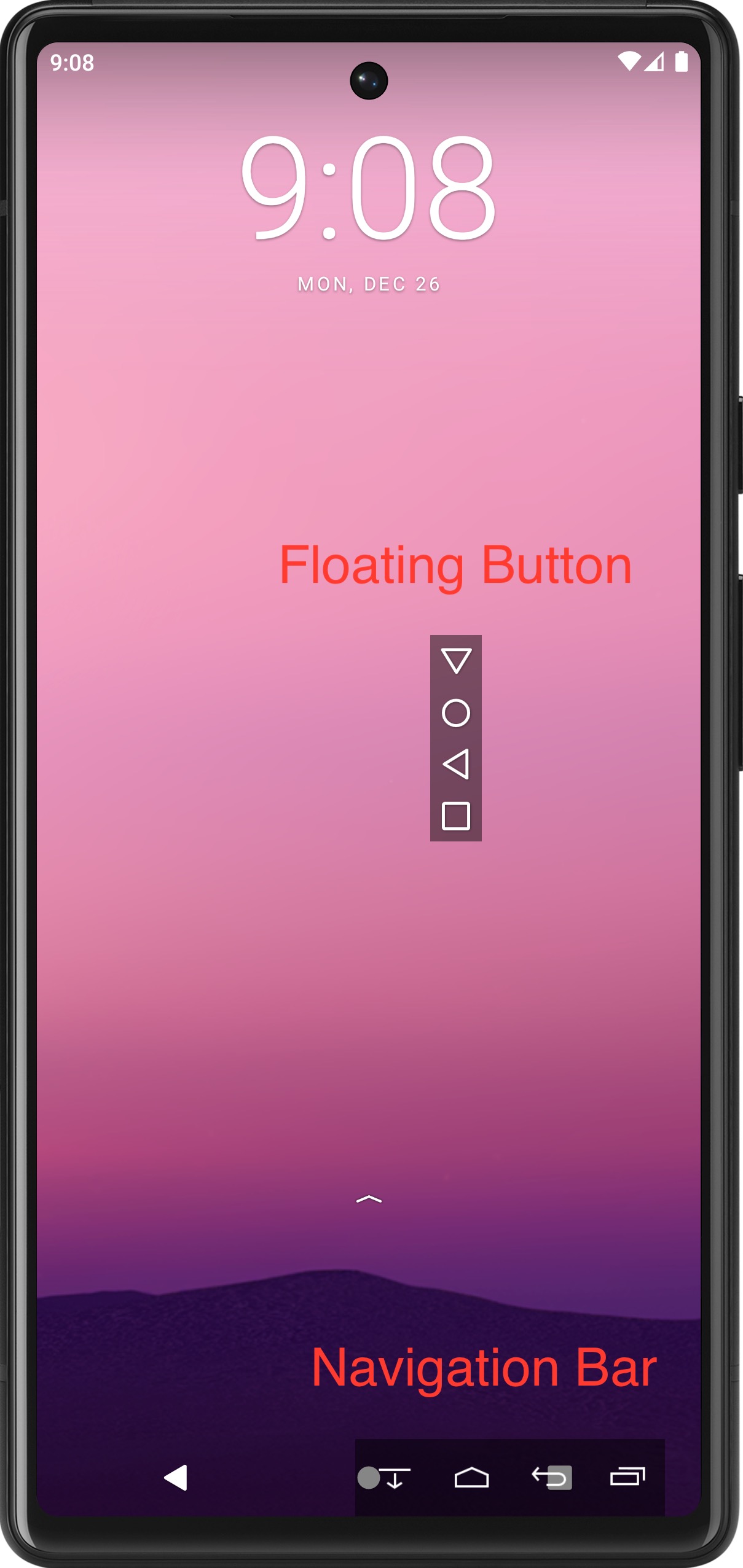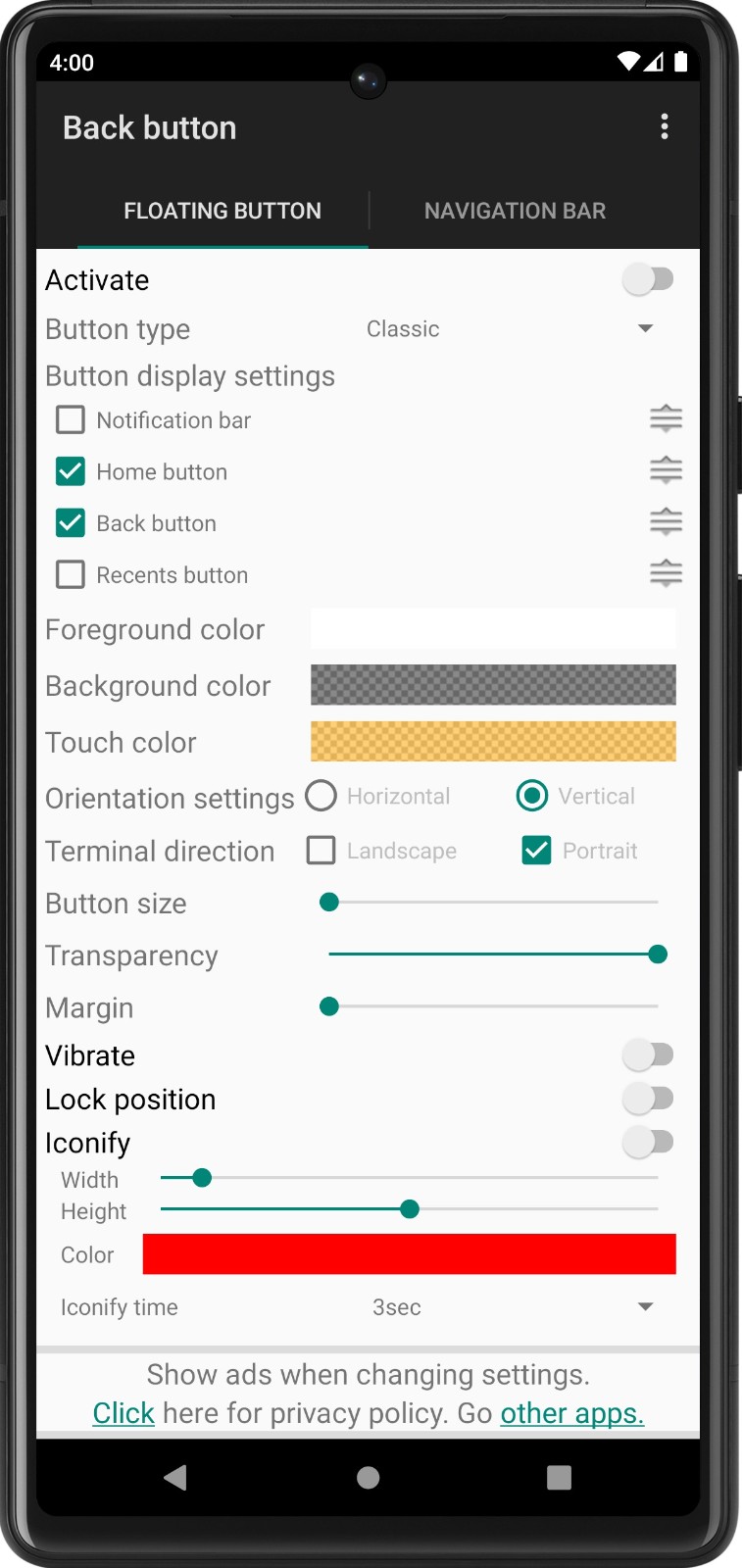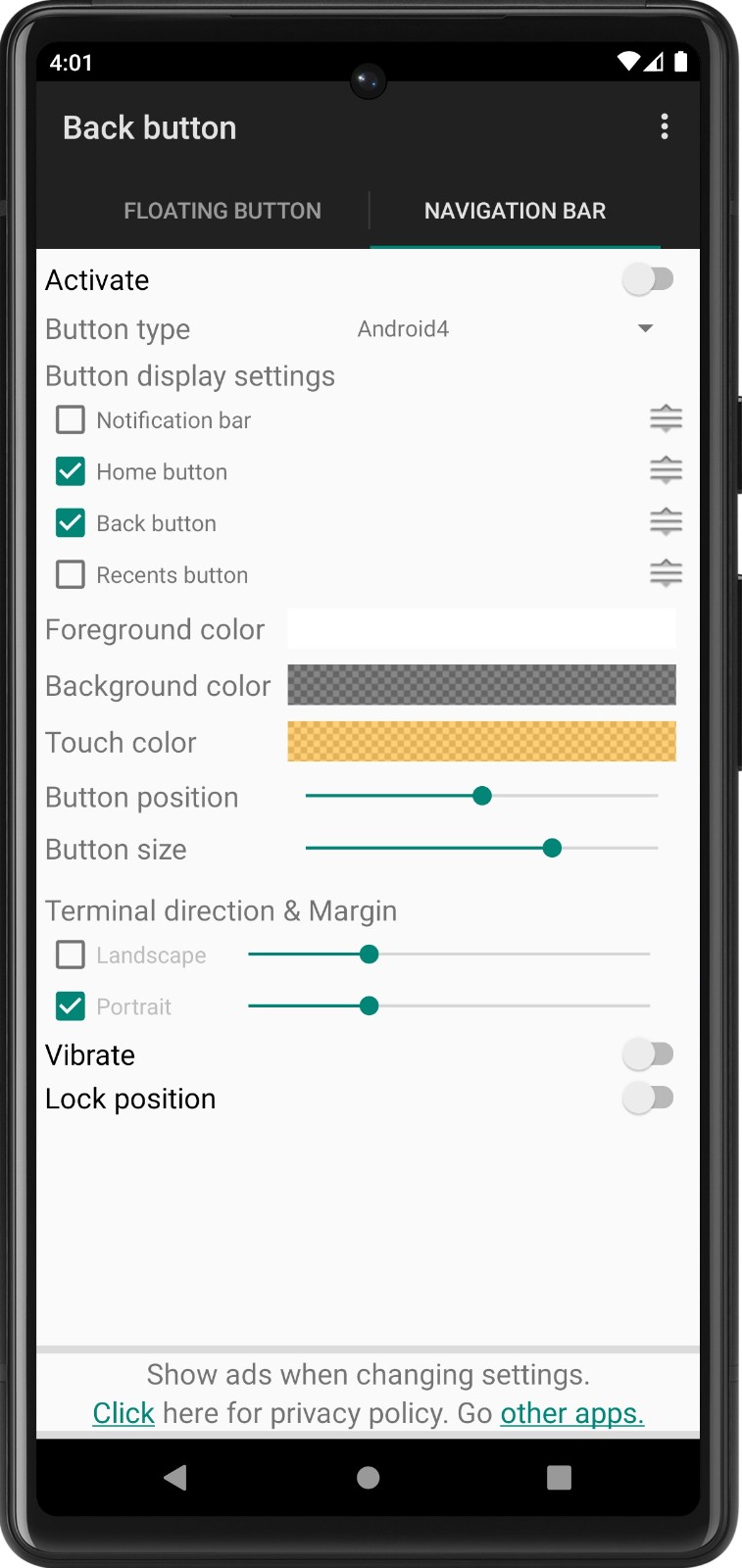
Back Button adds a movable Android navigation control for times when the usual Back action is awkward to reach. You can place the button where your thumb naturally rests, then add Home, Recents or a shortcut to the notification shade. Its settings also include a separate layout for controls along the navigation bar.
Turn on the controls: Open Back Button and switch on Activate. Android needs the Back Button accessibility service for navigation actions. The app also asks for permission to display over other apps so the floating control can remain visible while you move between screens.
Put Back within reach: Hold the floating control and move it to the edge you can reach comfortably. If it covers a send button or a browser menu, move it slightly higher so both controls stay usable.
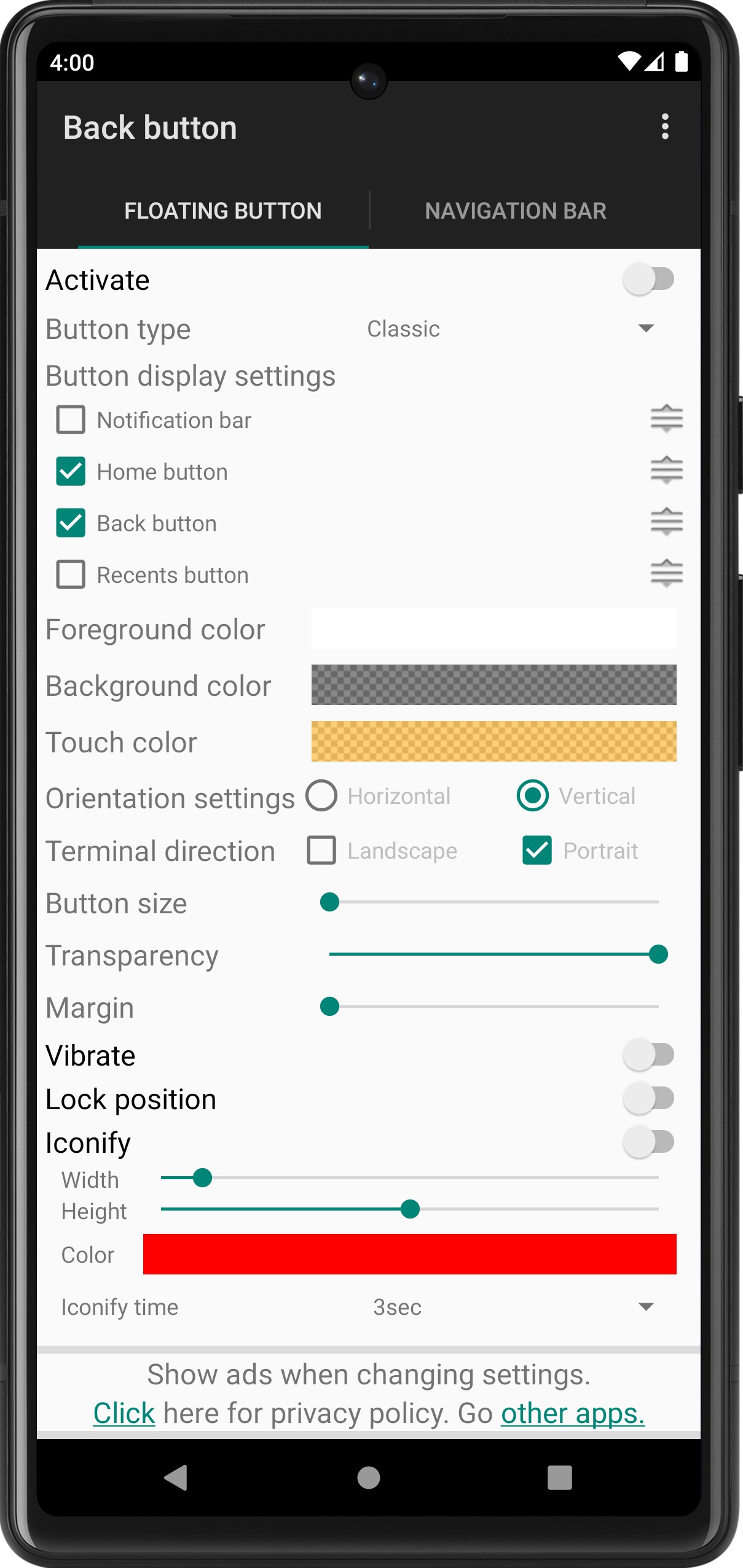
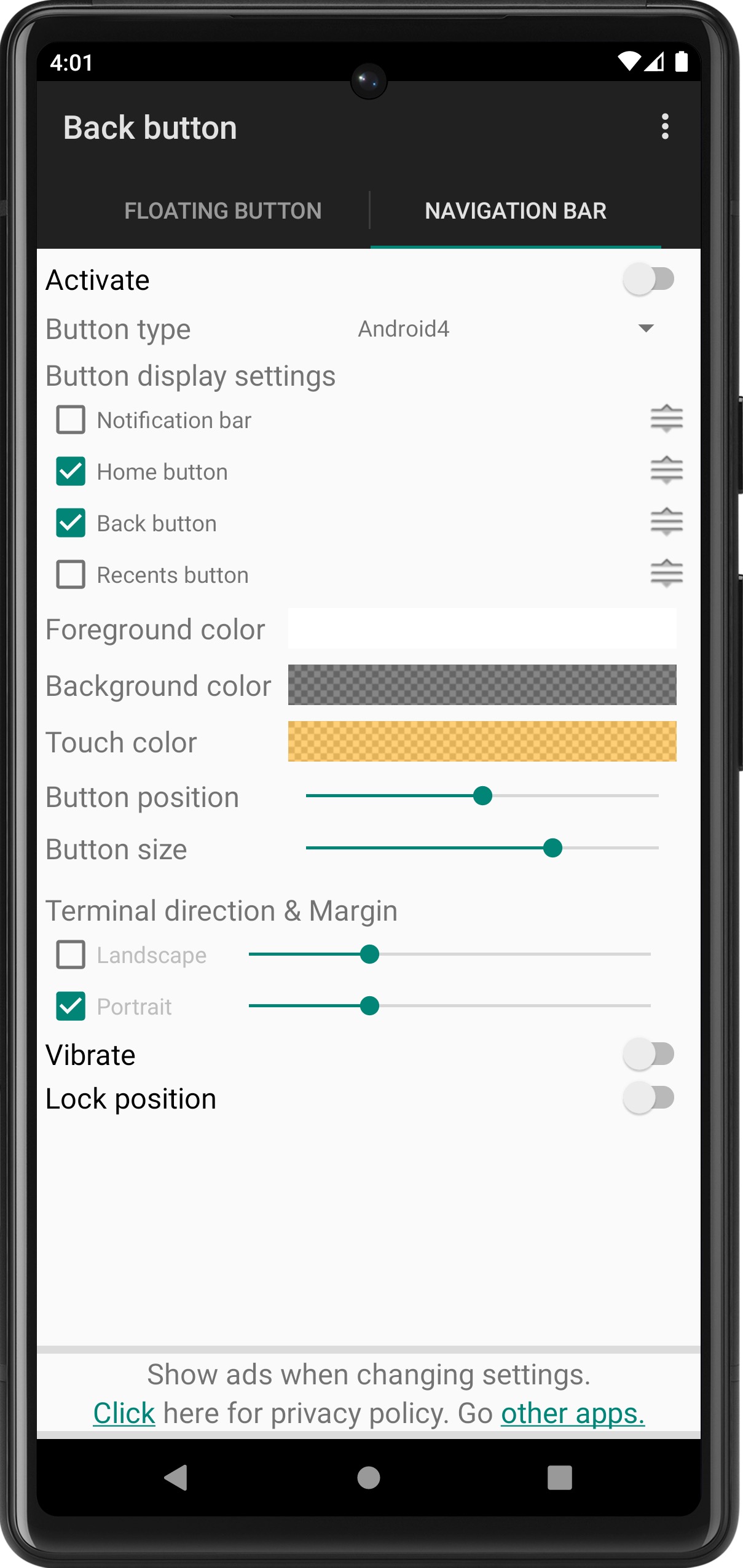
Pick the right layout: Start with the Floating Button tab if you want to move the control around the display. Use the Navigation Bar tab if you prefer keeping the added buttons along the bottom, where you already expect to find system controls.
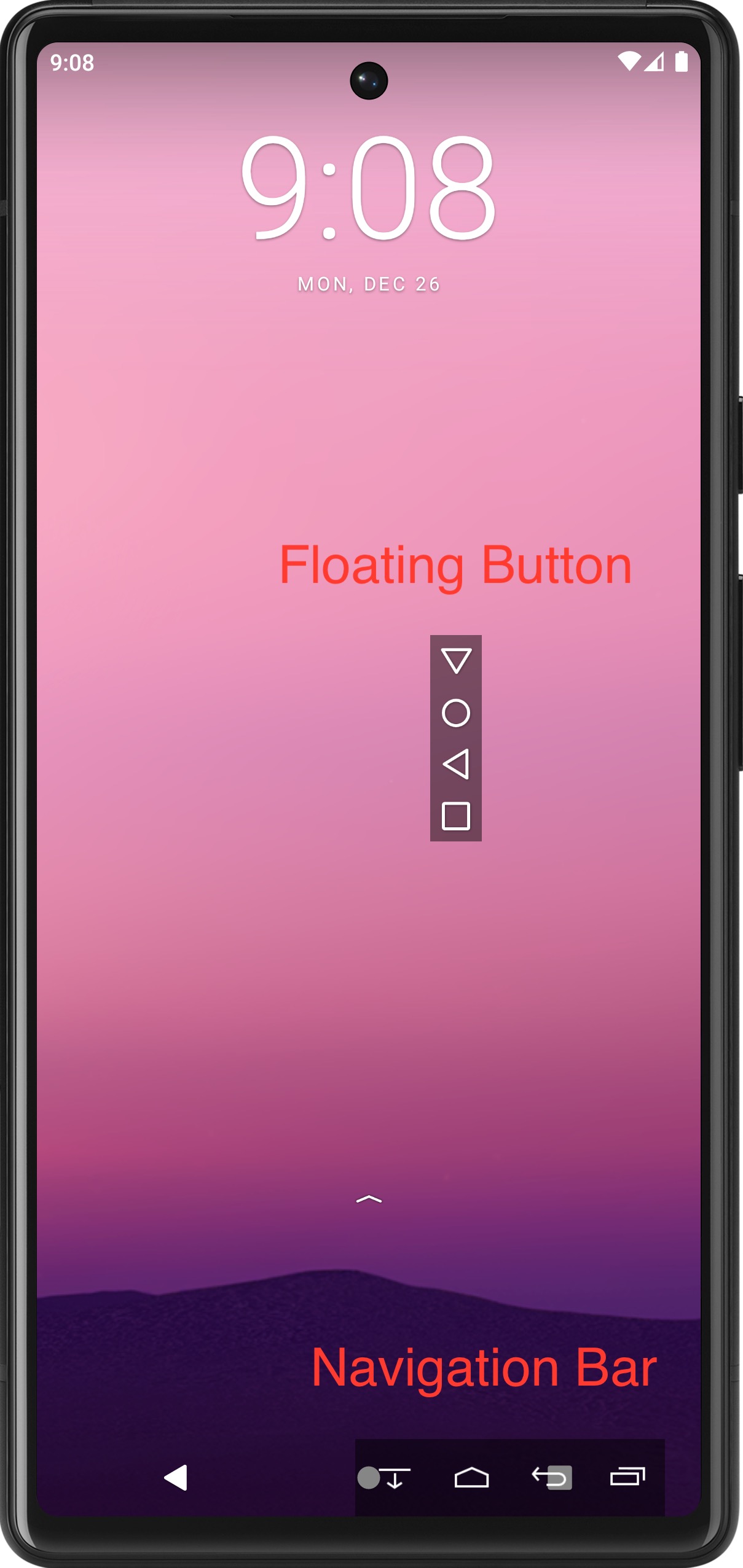
Choose the actions: Keep Back on its own for a small target, or add Home and Recents when you often switch between an app and the home screen. A notification shortcut can save a reach to the top of a tall display.
Reorder the controls: Put the action you use most at the easiest end of the strip. After changing the order, try it in an app where you frequently go back a screen.
Adjust shape and color: The settings include button styles, foreground and background colors, and a separate touch color. A high contrast combination makes the button easier to see over a bright or busy screen.
Fine-tune placement: Size, transparency and margins give you room to adjust how much space the overlay takes. Lock the position once you find a spot that works with your grip.
What version is available here?
This Back Button APK contains version 2.07 by ogapps and is 3.05 MB. Its package name is com.appspot.app58us.backkey.
Which Android versions can install it?
The APK declares Android 5.0 as its minimum. The controls still depend on the accessibility and display permissions available on your device.
Does it need root?
You can use the standard Android permission settings. If a control appears but does nothing, first check whether the Back Button service is enabled under Accessibility.
Can you take the overlay off the screen?
Return to the app and turn off Activate when you want your usual navigation layout back. You can also disable its accessibility service in Android settings.
Back Button works best when one familiar navigation action needs a more convenient place on the screen. Set up a single floating Back control first, then add the other shortcuts you actually use.
Back Button
Tools
Date:2026-11-27

AnimeLovers V3
Media & Video
Date:2026-11-27

VidStream - HD Video Player
Media & Video
Date:2026-11-27

Shopee Lite
Shopping
Date:2026-11-27

Koloro
Photography
Date:2026-11-27

GoWish
Shopping
Date:2026-11-27

Opera Mini
Tools
Date:2026-11-27

Facebook Lite
Social
Date:2026-11-27