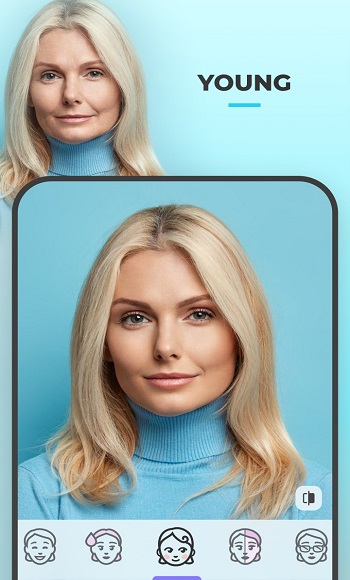
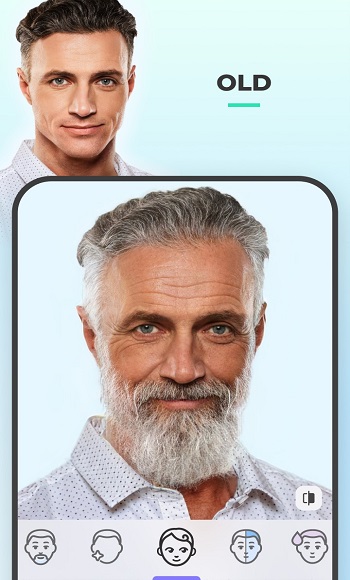
Want to know what you look like with different skin tones? Want to know what hairstyle suits you best? FaceApp can help you try out different versions of yourself and see what you look like with different genders! Or even see what you'll look like twenty years from now! FaceApp has built-in creative background presets and lighting effects to help you change the lighting and atmosphere of your photos, helping you create the best-looking selfies! If you enjoy taking selfies or creating content, then FaceApp is the best way for you to create!
Step 1: Download and Install FaceApp
Make sure you have downloaded the FaceApp file from a reliable source. Install the app on your device and make sure to grant all necessary permissions.
Step 2: Launch the Application
Open FaceApp on your device. You will see a user-friendly interface with a variety of options to choose from.
Step 3: Select a Photo
Tap the "+" icon or the "Select Photo" option to select the image you want to edit. FaceApp supports new photos and photos from your gallery.
Step 4: Explore Basic Editing Features
Crop Rotation: Use the cropping and rotation tools to adjust the composition of your photo. Make sure the focus is on the facial features you want to highlight.
Step 5: Fine-tune your edits
Use the fine-tuning tools to refine your edits. Adjust facial features, add makeup, or experiment with different expressions to achieve the desired effect.
Step 6: Save and Share
After editing, click the "Save" or "Share" button. Select the desired resolution and save the image to your gallery or share it directly to social media platforms.
One-Click Portrait Filters
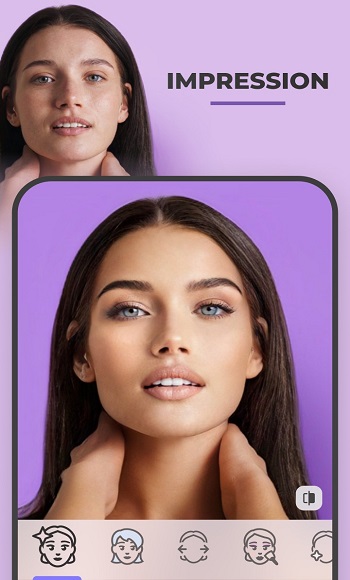
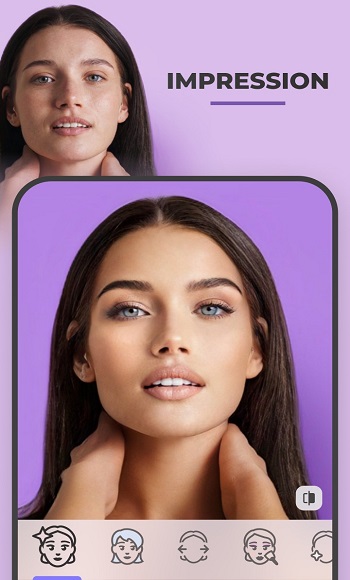
FaceApp applies filters optimized for faces, resulting in a natural and consistent edit. Preview your refined portrait with a single tap, without manually adjusting layers or using other tools. The app considers skin tone and ambient lighting to maintain image balance. This helps you quickly transform an ordinary selfie into a shareable masterpiece.
Natural Editing Tools
You can smooth out fine lines and reduce minor blemishes while preserving skin texture. Adjust color temperature, saturation, and exposure to correct color casts or insufficient lighting. Slider controls provide fine-tuning for natural adjustments that avoid a plastic look. After completing the basic edits, you can fine-tune the photo to your preferred style.
Hair, Beard, and Lens Variations
FaceApp lets you experiment with different hair colors and hairstyles, and add volume to your hair. You can preview the effect of a beard or mustache, and even try colored contact lenses to change the appearance of your eyes. These tools can help you plan a new look or create a themed portrait without going to the barbershop. The preview adjusts to your face shape for a more realistic final result.
Fun AI Transformations
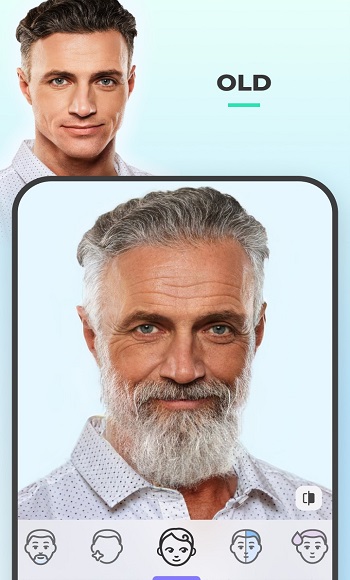
You can try gender swapping and explore older or younger versions with a single tap. Hairstyle and color suggestions provide fun inspiration for posts or stories. Style references and weight filters add more options to creative editing. Effects are easy to turn on and off, allowing you to compare results before saving.
Backgrounds, Lighting, and Sharing
FaceApp includes built-in creative background presets and lighting effects to change the atmosphere or scene. Using the comparison tool, you can view the before and after effects side-by-side and confirm each change. Once satisfied, you can share directly from the editor to social media apps. This workflow allows for quick editing, avoiding switching between different programs.
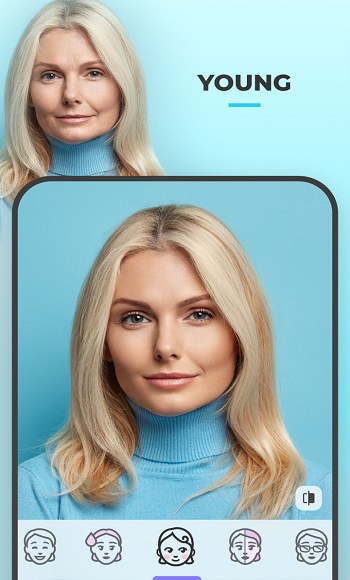
Simple and easy to use. Simply select a photo, tap the desired filter or tool, and the edits take effect instantly. Some popular features include aging effects, adding smiles, changing backgrounds, and experimenting with different hairstyles and makeup. For casual users, this app is perfect for entertainment and visual experimentation. But for content creators, FaceApp is also a useful tool, allowing them to preview styling effects before uploading photos to social media. For example, wondering if a beard or bangs suits you? Just try it out on FaceApp first.
What is FaceApp? How does it work on Android?
FaceApp is a mobile application that uses artificial intelligence to edit your face, allowing you to change your age, add smiles, try different hairstyles, or even change your gender.
Does FaceApp require an internet connection?
Yes, FaceApp processes photos via cloud servers, so you need an internet connection to use most of its editing features.
Is the free version of FaceApp sufficient for casual users?
The free version offers some basic features such as aging filters, gender switching, and a few other effects. For more advanced features, you need to purchase the paid version.
From a data privacy perspective, is FaceApp safe to use?
Since the editing process takes place on online servers, users must read the privacy policy to ensure the security of their uploaded data.
Who is FaceApp suitable for?
FaceApp is perfect for people who enjoy editing selfies, content creators, or those who want to try a new look without completely altering their face shape.
FaceApp is a revolutionary tool in the field of photo editing. Its rich features, user-friendly interface, and powerful AI-driven capabilities make it a must-have for anyone who wants to add flair to their selfies. This guide will immerse you in the endless possibilities of FaceApp, allowing your creativity to flourish. Embrace the future of photo editing with FaceApp—make every selfie a canvas for your artistic expression.
FaceApp
Tools
Date:2026-03-17

Bolly4u
Media & Video
Date:2026-03-17

APK2X
Tools
Date:2026-03-17

Jerkflix
Media & Video
Date:2026-03-17

Netnaija Movies
Media & Video
Date:2026-03-17

Auto Clicker
Tools
Date:2026-03-17

Wink 3.2.0
Tools
Date:2026-03-17

Play Desi TV
Media & Video
Date:2026-03-17