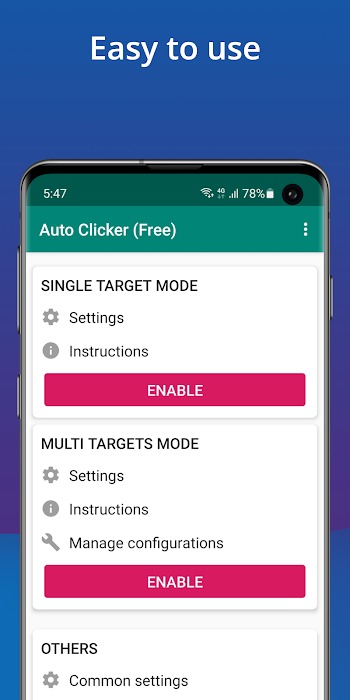
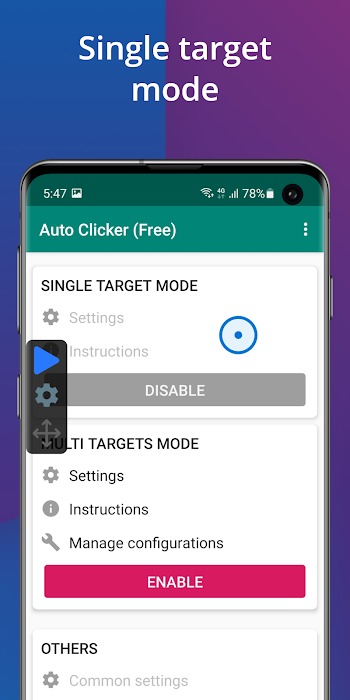
Auto Clicker is a tool that helps you automate clicking, swiping, or performing other actions. You simply set a script in advance, and it will continuously execute the action until the set time expires. Worried about not knowing how to use it? Auto Clicker has a built-in tutorial, so even beginners can learn quickly! You don't need to worry about being detected even when using it in games; Auto Clicker simulates human behavior, thus bypassing the anti-cheat systems of some games! If you're tired of repetitive actions, Auto Clicker will help you!
You only need the Auto Clicker - Automatic tap APK file, and you can configure your first script in minutes.
1. Download the Auto Clicker - Automatic tap APK on APKPure.
2. Install Auto Clicker, open it, and enable accessibility services when prompted in your device settings.
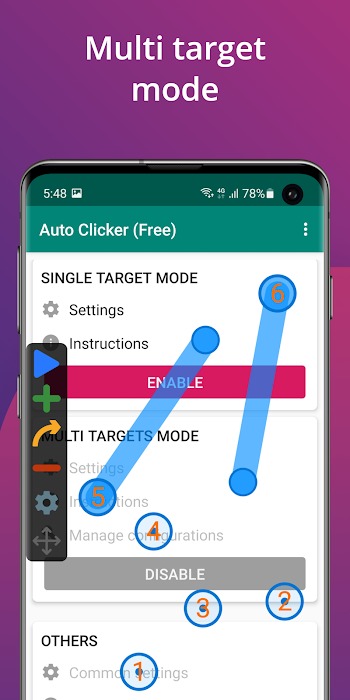
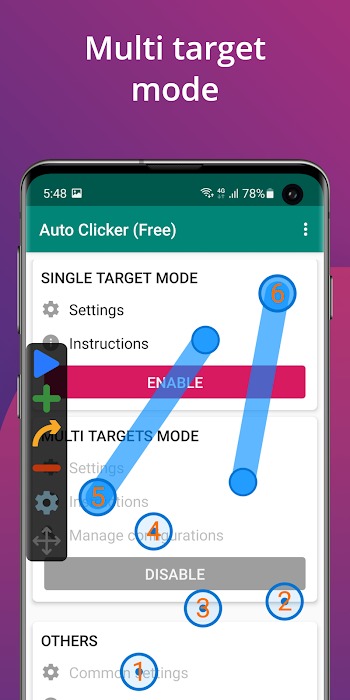
3. Single-target mode is for single clicks, and multi-target mode is for multiple consecutive clicks or swips.
4. Afterward, place target points on the screen and adjust the interval, delay, and number of repetitions for each action as needed.
5. Then set the overall behavior, such as looping until stop or a total session timer, and determine whether any action should be a long press by setting the key duration.
6. Start a session from the floating control panel, monitor the results, and pause or stop at any time to adjust the position and time.
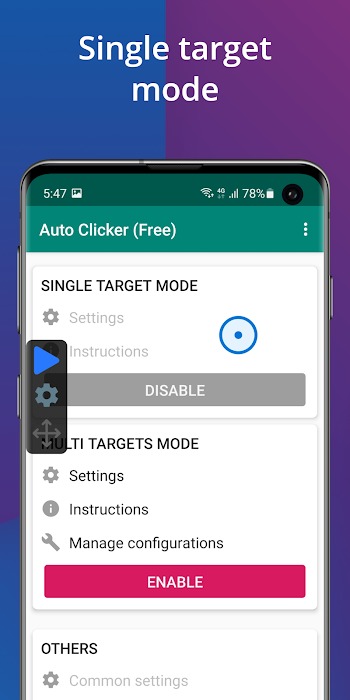
User-friendly interface, easy to use
Add clicks or swipes ,you can easily add and restore multiple click points or swipe paths
Custom scripts ,save, import, and export auto-scripts as needed
Secure data storage ,easily and securely sync your script data via cloud storage
Supports multiple scenarios ,testing screens, reading novels, etc.
No root access required
Pro
Clean and intuitive interface for quick and easy setup
Supports fixed and dynamic click positions
Ad-free design enhances user focus
Low CPU usage, reliable click timing
Cons
No full macro recording functionality
Basic interface may appear outdated
What is an Auto Clicker? What does it do?
An Auto Clicker is a utility app that automates clicks, swipes, and screen actions on your phone. It's ideal for repetitive tasks like gaming or filling out forms.
Can I use an auto-clicker without rooting my phone?
Yes! Most auto-clicker apps don't require root access. Simply install, grant permissions, and you can start automating clicks or gestures.
Is an auto-clicker suitable for mobile games?
It works with a variety of games, especially placement or clicker games. Some versions even include anti-detection features to avoid triggering game bot warnings.
How do I set up multi-touch or gesture automation?
Generally, you can add multiple click points or record swipe actions using the app's interface. Some versions also allow you to write scripts and save these settings for later use.
Will an auto-clicker drain my battery quickly?
Yes, it depends on your settings and runtime. Prolonged, high-frequency automatic tapping will quickly drain the battery, so plan accordingly.
In short, an auto-clicker is your best choice when tasks are tedious, repetitive, or even beyond your attention span. It has a clean and intuitive interface, practical functions, and saves far more time and effort than its actual value suggests, yet it is severely underestimated.
Auto Clicker
Tools
Date:2026-03-17

Wink 3.2.0
Tools
Date:2026-03-17

Play Desi TV
Media & Video
Date:2026-03-17

SportzX
Media & Video
Date:2026-03-17

Call Bomber
Tools
Date:2026-03-17

KWGT MOD
Tools
Date:2026-03-17

9x Movies
Media & Video
Date:2026-03-17

Rapid Streamz
Media & Video
Date:2026-03-17