VidMate is an Android downloader and media player for saving videos and audio to your phone. You can open a supported link, compare the available formats and sizes, and store an offline copy when the publisher allows it. The same app opens completed files from its My Files tab.
From another app. Use Android’s share menu and select VidMate when it appears. That sends the page to VidMate and leaves the original app available to return to. You can also copy the address and open it in VidMate if the share menu omits the shortcut.
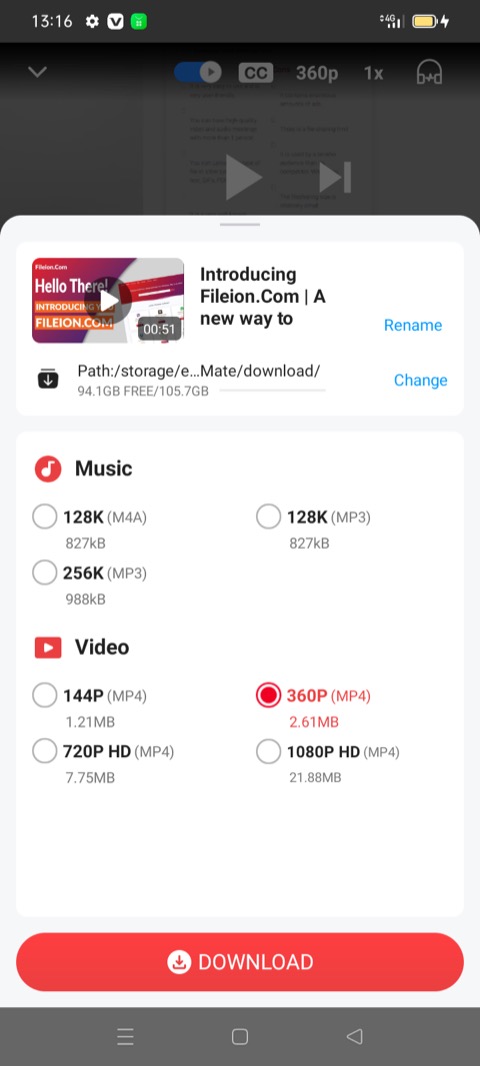
From inside VidMate. Use the search bar for a copied link or start with a site shortcut on the home screen. When VidMate recognizes a media item, the download control opens a sheet for that specific file. The title in the sheet helps you distinguish the intended clip from other items on the same page.
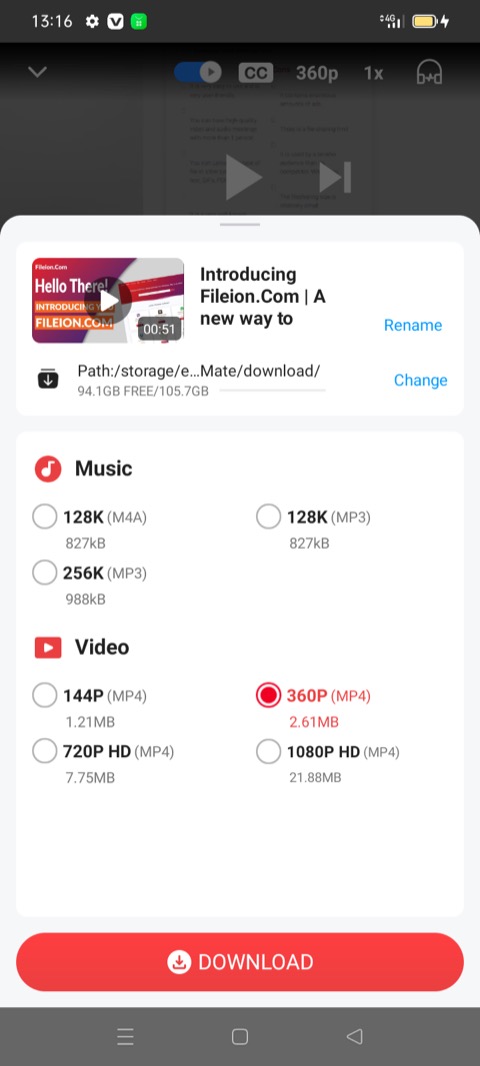
The download sheet separates picture and sound options so you can see what each file contains. Choose a video format such as MP4 if you want to keep the picture, or select an offered MP3 or M4A file for audio only. Available formats and resolutions depend on the source.
VidMate lists an estimated size next to the selectable versions. Compare those figures before saving a long clip over mobile data. On the pictured 51-second test video, the 360p option was listed at 2.61 MB and 1080p at 21.88 MB. Files for other clips will have different sizes even at the same resolution.
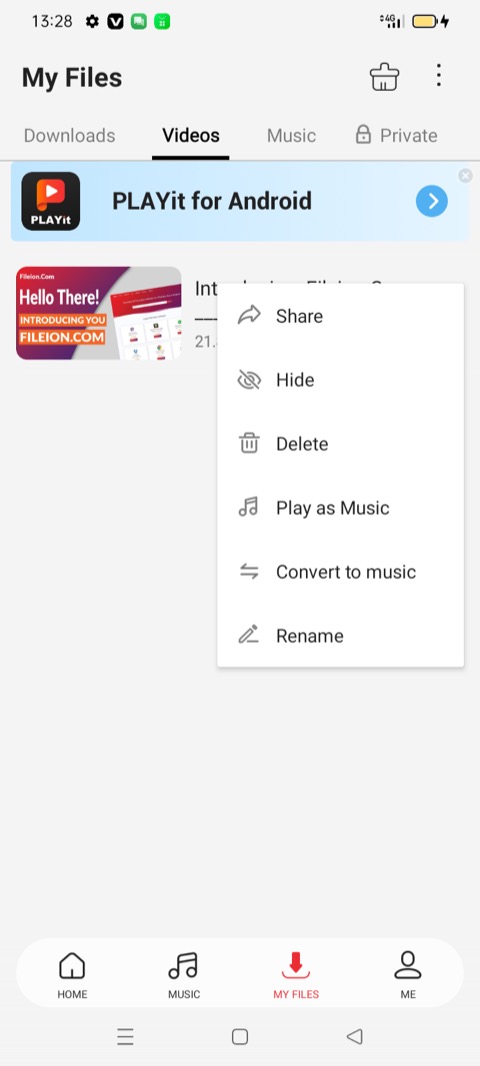
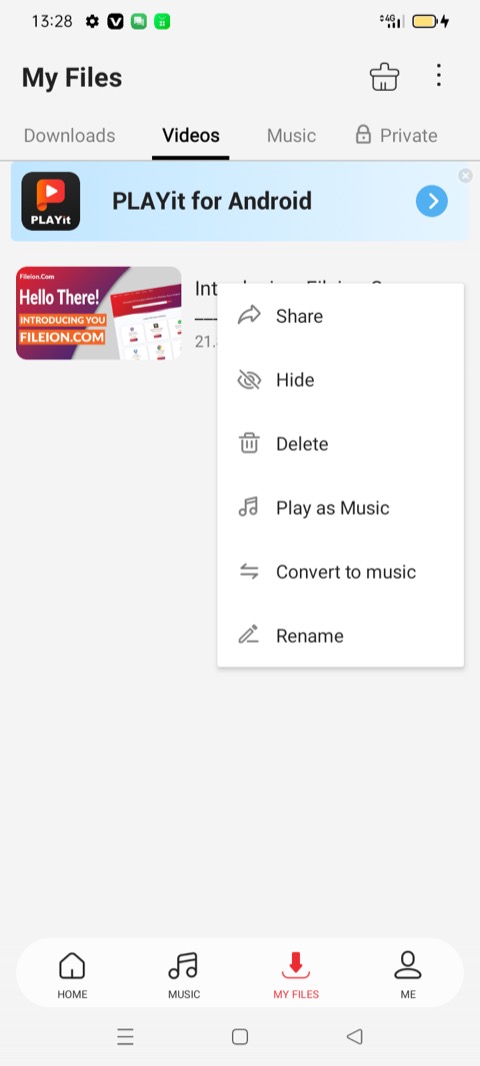
My Files separates downloads, videos and music into tabs. Use the Videos tab to open a finished clip or bring up its item menu. In the pictured version, that menu contains Share, Rename and Play as Music, alongside a separate option to convert the file to music.
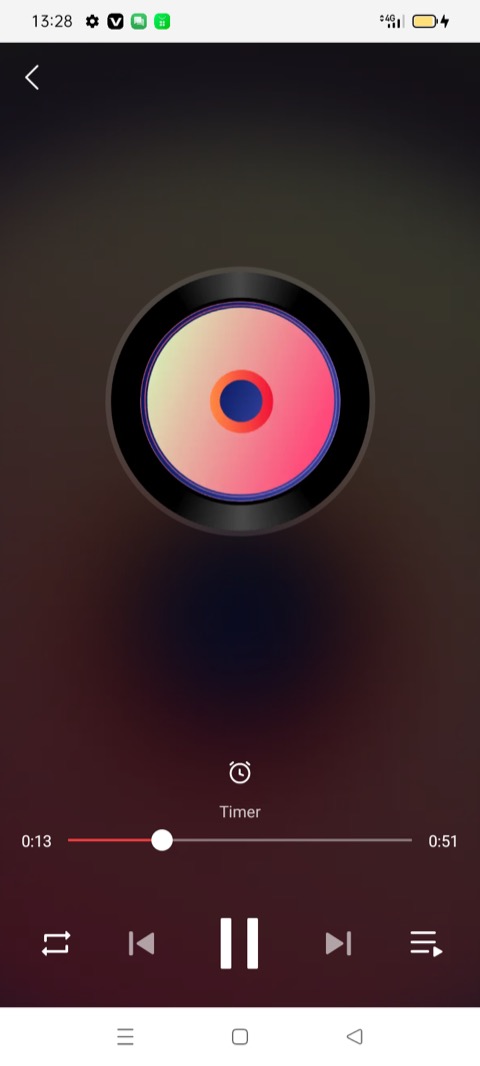
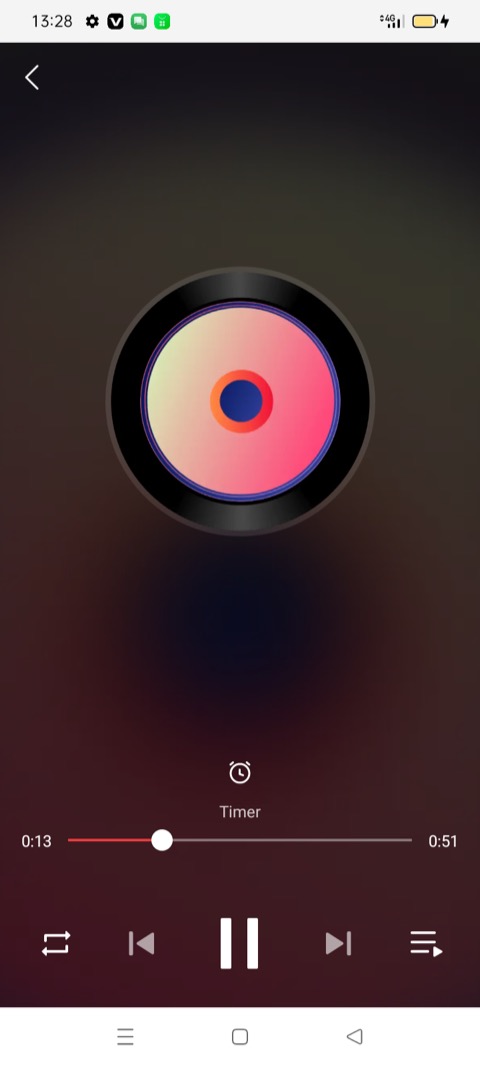
Play as Music opens the existing item in an audio-focused player. The player has a progress bar and its own playback controls. That can be useful for a saved interview or lecture when you only need to listen.
Which VidMate build is listed here?
The 33.67 MB APK is version 6.0302, build 60302. Its Android package identifier is com.video.fun.app.
Does this release have a separate ARM64 installer?
Start with Android 5.0 or newer for build 60302. Its single installer includes the 32-bit armeabi-v7a libraries alongside the 64-bit arm64-v8a ones.
Why might a link show fewer quality choices?
Check the video section of the sheet for the resolutions VidMate found for that link. The formats offered for one source tell you little about what another source provides.
Why does VidMate ask about file access?
An Android 11 test of this release recorded an All files access prompt at first launch. The player in that test needed file access to open a saved video. The test completed its download and playback with the separate app-install permission declined.
VidMate
Media & Video
Date:2026-11-27

Filmyhit Movies
Media & Video
Date:2026-11-27

DramaCool - Watching Asian Drama
Media & Video
Date:2026-11-27

Movie4U
Media & Video
Date:2026-11-27

Savefrom Helper
Tools
Date:2026-11-27

MkvCinemas
Media & Video
Date:2026-11-26

INDOXX1 indoxxi
Media & Video
Date:2026-11-26

Filmyzilla Hindi Dubbed Movies
Media & Video
Date:2026-11-26