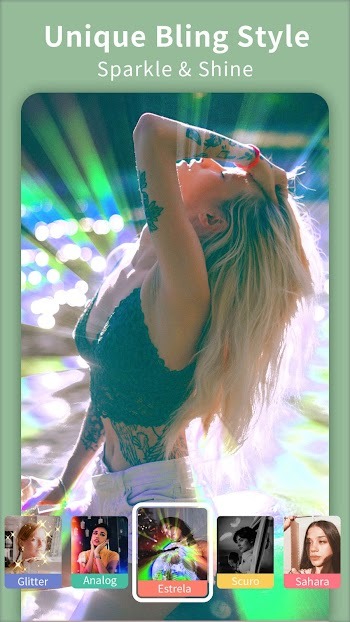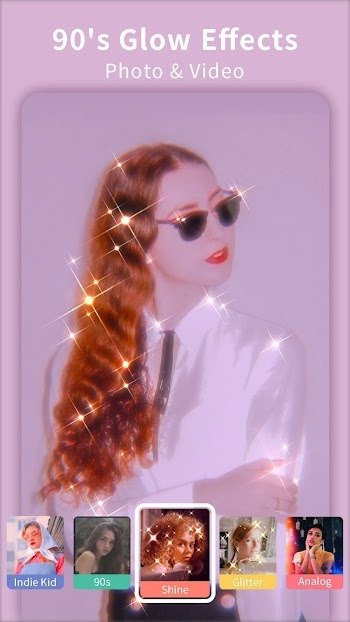
Efiko is a video editor that helps you quickly edit videos and images, streamlining your workflow. Tired of monotonous video editing? Efiko features a built-in library of effects and filters to make video editing more fun! No more repetitive, tedious steps; Efiko includes a variety of customization options, allowing you to freely adjust brightness, lighting, hue, and more to make your videos stand out!
Unified Photo and Video Editor
Efiko's editor supports both photo and video editing, simplifying your workflow. This allows you to easily maintain consistency across different content types without extra steps.
One-Click Presets, Quick Implementation
Apply trendy styles with a single click, saving you significant time when you need to quickly edit for social media. Furthermore, Efiko organizes presets by style, allowing you to preview options and quickly decide on your direction.
Adjustable Effects with Fine-Tuning Control
Efiko allows you to adjust intensity, flicker, and lighting to match your footage, so you don't need advanced skills to optimize your results. After applying presets, you can fine-tune details to balance atmosphere and clarity.
Iconic Aesthetics Searched by Users
Efiko includes a variety of effects, such as adjustable glitter and pearlescent effects, VHS and 90s film effects, Lomo light leak effects, Miami retro purple effects, and glitch art effects. Therefore, you can recreate popular styles that fit a nostalgic, cinematic, or fun theme.
A Rich Library of Effects and Filters
The Efiko app offers hundreds of effects and filters, as well as over one hundred presets that fit current social media trends. Furthermore, you can combine presets with manual adjustments to create a personalized look while minimizing editing time.
Start for Free, Paid Users Get Full Access
Efiko is free to download and use, offering a basic set of filters and effects. Additionally, the premium upgrade unlocks most presets and removes export watermarks, ensuring your final videos or photos are clean and watermark-free, ready to publish directly.
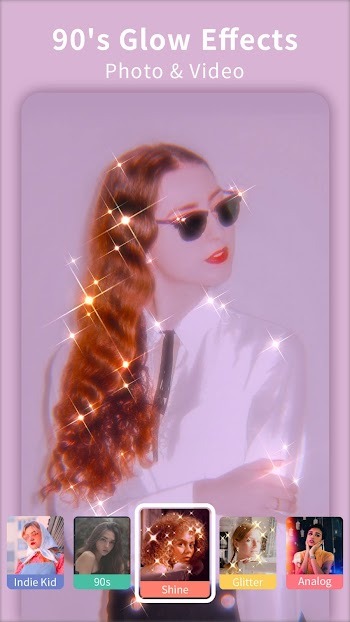
Its highly customizable filters. You don't have to be confined to monotonous default settings—you can adjust flash intensity, change tones, and mix different styles until you achieve the desired effect. Whether you're editing a brunch photo or want your dog to look like a character from an indie movie, it gives you complete creative freedom without being overwhelmed by cluttered buttons or confusing tools.
That said, Efiko's improvements go beyond just visuals. The app makes the entire editing workflow smoother and faster, especially with its live preview feature. You can tap filters, adjust settings, and instantly see the changes to your photos or videos. This instant feedback makes editing less frustrating and makes trying new things more fun.
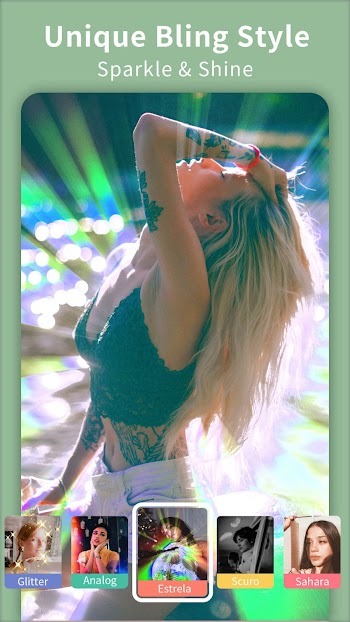
Open Efiko, import photos or videos from your gallery, and then select an aspect ratio that matches your target platform.
Browse the preset categories and tap on a style to preview it in real time, allowing you to compare different options before making a final decision.
Once you've selected a preset, adjust the intensity, brightness, and color to match your subject, and add flash, film grain, or light leak effects as needed.
Then refine the details by turning specific effects on or off, and compare the before and after effects to confirm the look.
This allows you to quickly publish, exporting your edits at your preferred resolution and format, and then saving or sharing directly to your social media apps.

What is Efiko used for?
Efiko is a mobile application for editing photos and videos, offering beautiful filters, glossy effects, retro vibes, and cinematic presets, perfect for social media content.
Is Efiko free to use?
Yes, Efiko offers a free version with some basic filters and effects. However, advanced features, watermark-free export, and full presets require a paid upgrade.
Can Efiko handle photos and videos simultaneously?
Absolutely! Efiko supports both photo and video editing, making it a comprehensive tool for anyone looking to enhance the visual appeal of their content.
Can I use Efiko without editing experience?
Absolutely. Efiko is very beginner-friendly with a clean interface; filters are applied with a single tap, so even if you have no experience with complex tools, you can start editing.
Does Efiko add a watermark after editing?
The free version of Efiko adds a watermark to the images you edit. You can subscribe to the premium version to remove the watermark.
If you value the atmosphere of your content, or simply want your phone's photo album to look more organized, Efiko can help. Whether you're quickly editing during your lunch break or meticulously crafting a mini video diary, this app lets you unleash your creativity without feeling bored.
Efiko
Tools
Date:2026-03-14

Live TV
Tools
Date:2026-03-14

Resso Premium
Media & Video
Date:2026-03-14

XArena
Tools
Date:2026-03-14

Reface
Tools
Date:2026-03-14

Dustruco Free Fire
Tools
Date:2026-03-14

UnFite App
Tools
Date:2026-03-14

YesMovies
Media & Video
Date:2026-03-14