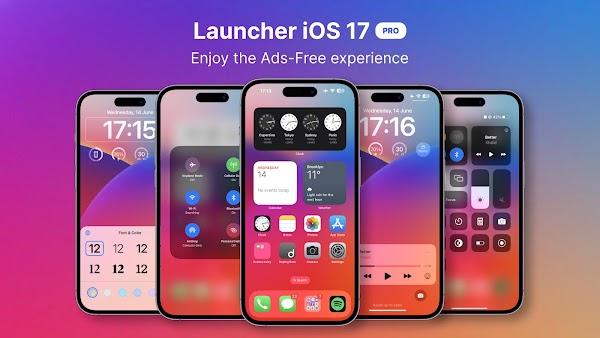
Launcher OS is a personalized phone launcher that lets you personalize and customize your screen! Here, you can freely rearrange your phone's apps for a more personalized experience! Customize wallpapers and app icons to make your phone more interesting! Worried about slowing down your phone? Launcher OS is designed for a lightweight and smooth experience, making it easier to use while maintaining fast performance! Simple to operate and enhancing your phone's aesthetics, if you want an Apple-like user experience, Launcher OS is one of your best choices.
App Library, Quick Search
Launcher OS groups your apps into editable categories to reduce clutter and make browsing smoother. You can rename or rearrange group names to better suit your needs. When you need to quickly find an app, simply type a few letters, and the intelligent search function will immediately highlight it.
Device-Wide File Finder
In addition to apps, you can also search all files stored on your phone in one place using the built-in file search function. The built-in file search function helps you quickly find documents, pictures, and other files without opening a separate file manager. This saves you a lot of steps when you only need to quickly find and open specific files.
Home Screen Customization
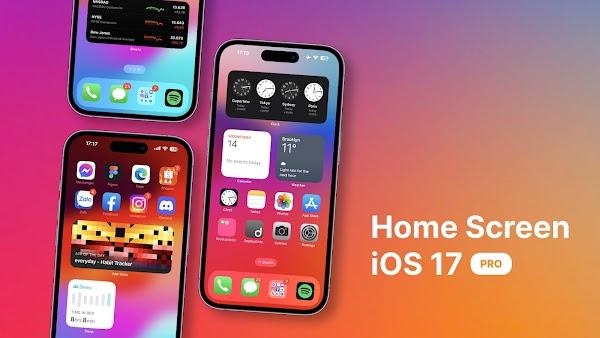
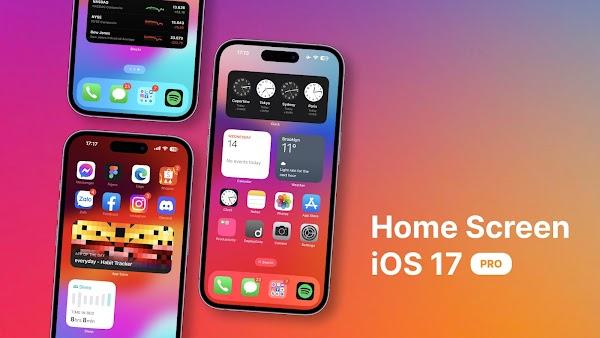
You can choose wallpapers from local storage or app servers, adjust app icons, and place widgets for quick information access. Large folders group related shortcuts together while remaining easy to click. These options help you create a desktop layout that suits your habits without feeling cluttered.
Lock Screen Tools for Quick Access
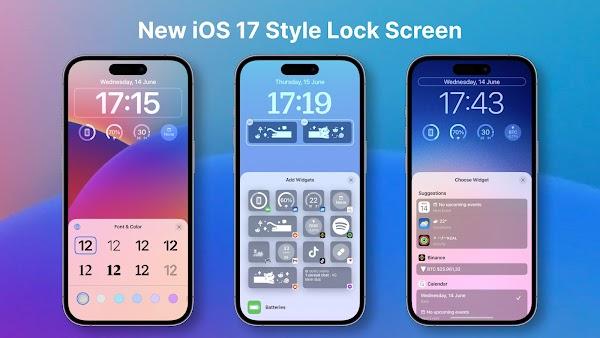
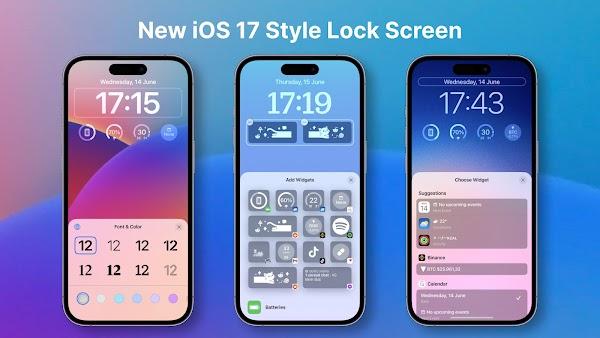
Quickly launch the camera from the lock screen so you don't miss any moments. Incoming calls and notifications also appear on the lock screen, and when enabled, the lock screen overlay appears above other apps. Even when your phone isn't on the home screen, you can easily control important functions.
AI Voice Chat
Voice input converts speech to text, allowing you to send queries without typing. This feature is very useful when your hands are busy or you prefer voice input. You can switch between voice and text input at any time, depending on your needs.
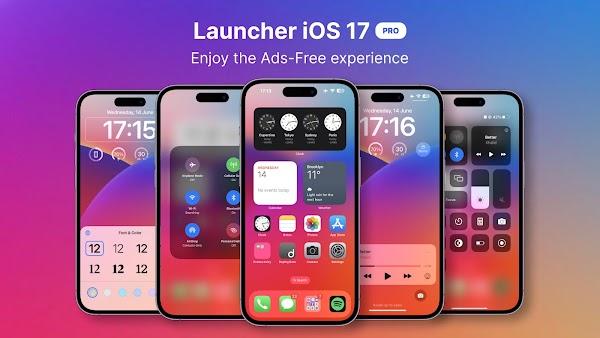
It looks stunningly clean. It boasts a swivel control panel, a smooth status bar, iPhone-like floating assistive touch points, and even familiar face and passcode unlock interfaces. So, if you love Apple's aesthetic design but want to keep your APKs and custom Android apps, this launcher is perfect for you.
It also makes phone management easier. You can group apps into folders like on iOS, pin truly useful widgets (like Weather and Calendar), and customize the layout without root access. It even comes with a dynamic notification badge system to ensure you don't miss any important information, from text messages to app notifications.
After downloading Launcher OS, the installation process takes only a few minutes. This process will help you switch to a new home screen, organize your apps, and enable optional tools. You can adjust the sections at any time to suit your changing habits.
Open Launcher OS™ and set it as your default home screen app when prompted, then confirm your selection in the system dialog.
Next, open the app library to view the categories. Rename groups, move apps to suitable locations, and use the search bar to quickly launch any app.
Next, long-press the home screen to customize it. You can choose wallpapers from your phone or app servers, change app icons, create large folders, and place widgets where you want.
After that, enable lock screen tools if you plan to use them. Grant the necessary permissions for the camera, notifications, and displaying above other apps so that the quick camera and overlay features work properly.
Finally, try device-wide file search and voice chat. Type a filename to find documents on your phone, or tap the microphone icon to speak questions when hands-free input is needed.
What is Launcher OS used for?
Launcher OS is an Android launcher application that redesigns the phone's interface to look and feel similar to Apple's iOS, while still providing the full flexibility of Android.
Will Launcher OS slow down your phone?
No. Launcher OS is designed to be lightweight and smooth. It not only improves your home screen experience and app management efficiency but also does not degrade phone performance.
Can Launcher OS support both face unlock and password unlock?
Yes, Launcher OS supports dual security lock screen functionality with both password and facial recognition, providing a stylish look while offering reliable security.
Is Launcher OS free or paid?
There's also a modified version that unlocks all professional features, including ad-free use, full personalization, and extra tools—all completely free.
Can I customize icons and wallpapers in Launcher OS?
Absolutely. You can change icons, apply your own wallpapers, blur or resize icons, and even design layouts according to your personal aesthetic.
Launcher OS is designed for Android users who crave a clean visual experience, iPhone-like functionality, and excellent performance, while also wanting the ability to personalize their devices to their liking. Its interface is clean, responsive, and subtly enhances your phone's appearance—and it's easy to use.

APK3x
Tools
Date:2026-03-16

Punjab Educare
Education
Date:2026-03-16

Star Sports Live
Media & Video
Date:2026-03-16
Adescargar.online
Tools
Date:2026-03-16

ChatBlink
Social
Date:2026-03-16

JioSaavn
Media & Video
Date:2026-03-16
APK CORT
Tools
Date:2026-03-16

Flix2Day
Media & Video
Date:2026-03-16